
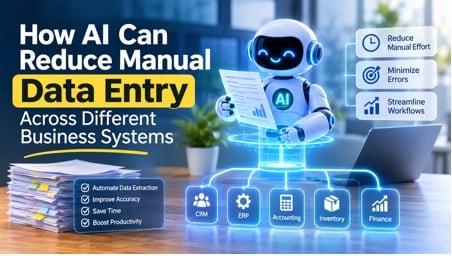
AI reduces manual data entry by reading information from documents, emails, forms, and messages, understanding what it means, and entering it into the right business system automatically. Instead of an employee retyping an invoice into an ERP or copying a lead from an email into a CRM, AI extracts the fields, checks them against existing records, and either posts them directly or flags only the uncertain items for a person to review.
For most companies, the real problem is not a single slow task. It is the same information being typed again and again across accounting software, CRM platforms, HR tools, inventory systems, and spreadsheets. This guide explains where that duplicated effort comes from, which AI methods remove it, how to apply them system by system, and how to roll them out without creating new risks.
Why Manual Data Entry Still Slows Down Business Systems
Manual data entry survives in modern companies for a simple reason: systems rarely talk to each other cleanly. A supplier sends a PDF invoice. A customer fills in a web form. A field technician writes notes on a tablet. A sales rep forwards an email thread. Each of these contains useful data, but none of it arrives in the format your software expects, so someone types it in.
The hidden costs go beyond staff time
The obvious cost is hours spent typing. The less visible costs often matter more:
- Errors that travel. A transposed digit in a purchase order number or a misspelled customer name rarely stays in one place. It flows into reports, invoices, and forecasts, and fixing it later takes far longer than entering it correctly would have.
- Delays in decisions. When data enters a system days after the event, dashboards show an outdated picture, and teams act on old information.
- Duplicate records. Different people entering the same customer or vendor in slightly different ways creates fragmented records that are hard to reconcile.
- Lost focus. Skilled people who spend part of every day on copy and paste work have less time for analysis, customer conversations, and problem solving.
Why traditional automation did not fully solve it
Older tools such as fixed templates and simple macros work only when inputs look identical every time. The moment a supplier changes an invoice layout or a customer writes a free text request, the rules break. This is the gap AI fills. It handles variation, which is exactly what makes real business data messy.
Choosing the right technology is only half the job. Connecting it securely to your ERP, CRM, and internal tools, and tuning it to your own document types, is where most projects succeed or stall. If you do not have that expertise in house, working with specialists who build custom language model solutions can shorten the path considerably. Teams that want tailored extraction and integration workflows can hire generative AI developers to design and implement systems that fit their existing software rather than forcing a change in how they work.
The AI Technologies That Reduce Data Entry
Several technologies work together in a modern setup. Understanding what each one does helps you decide what your business actually needs.
Optical character recognition and intelligent document processing
Optical character recognition (OCR) converts images and scanned pages into machine readable text. On its own, OCR only gives you a block of characters. Intelligent document processing (IDP) goes further by identifying which text is the invoice number, which is the due date, and which lines are items and amounts. Modern IDP tools can often handle layouts they have never seen before, which removes the need to build a template for every supplier.
Natural language processing for emails and messages
Much business data sits inside unstructured text, such as support emails, order requests, and chat messages. Natural language processing (NLP) identifies entities like names, product codes, dates, and quantities, and classifies the intent of the message. A request to “move my delivery to next Friday” can be turned into a structured update on an order record without anyone retyping it.
Large language models for flexible extraction
Large language models (LLMs) are particularly useful when documents vary widely or when information must be interpreted rather than just copied. They can read a contract and pull out the renewal date, summarize a long email thread into CRM fields, or normalize inconsistent formats such as different date styles and currency notations. Their flexibility is a strength, but it also means outputs should be validated, which we cover later.
Robotic process automation with AI decisions
Robotic process automation (RPA) software imitates the clicks and keystrokes a person would use in an application. This is valuable for older systems that have no modern API. When paired with AI, the bot no longer follows a fixed script only. It can decide what to enter based on the content it has just read.
Machine learning for validation and matching
Machine learning models can compare extracted data against historical patterns. They spot a vendor name that does not match any existing record, an amount far outside the normal range, or a likely duplicate. This validation layer is what turns raw extraction into data you can trust.
Building reliable AI powered workflows often requires more than automating individual tasks. Businesses need solutions that connect different applications, process information accurately, and support their existing operational infrastructure. Companies exploring these capabilities can look into Mind Rind, which focuses on AI development and technology solutions that help organizations incorporate intelligent systems into their business operations.
How AI Cuts Data Entry in Specific Business Systems
The same underlying methods apply differently depending on the system. Here is how they show up in the tools most companies run.
ERP and accounting systems
Accounts payable is the classic example. AI reads incoming invoices, extracts vendor details, line items, tax, and totals, and matches them against purchase orders and goods receipts. Clean matches can be posted automatically. Mismatches, such as a price difference or a missing purchase order, go to an accountant with the discrepancy already highlighted. The same approach works for expense receipts, bank statements, and payment remittances.
CRM platforms
Sales teams often lose hours logging activity. AI can capture contacts from email signatures and business cards, update deal stages from meeting notes, and summarize call transcripts into structured fields. It can also check for existing records before creating a new one, which reduces the duplicate contacts that quietly damage CRM quality.
HR and recruiting systems
Resumes arrive in dozens of formats. AI parses them into consistent candidate profiles with skills, experience, and education, ready to search and compare. During onboarding, it can pull details from identity documents and signed forms into the HR system, with sensitive fields routed through stricter access controls.
Supply chain, inventory, and logistics
Bills of lading, packing lists, delivery notes, and customs forms are document heavy and often arrive in several languages. AI extraction speeds up receiving, updates stock levels sooner, and reduces the mismatches between what was ordered, shipped, and received.
Healthcare and insurance administration
Intake forms, referral letters, and claims paperwork involve large amounts of repetitive entry. AI can pre populate records and claim forms from submitted documents. Because this data is highly sensitive, privacy rules and human review matter even more here, and any deployment should be checked against the regulations that apply in your region.
Customer support and service desks
Tickets often start as free text. AI can classify the request, extract order numbers and product details, and fill in ticket fields so agents begin with a structured case instead of an empty form.
A Practical Step by Step Approach to Implementation
Companies that get lasting value usually follow a similar path, starting small and expanding after proving results.
- Map where data is entered by hand. Interview the people doing the work. Note each source document, the destination system, how often it happens, and how long it takes. This shows where the biggest savings are.
- Pick one high volume, low risk process. Invoice processing and lead capture are common starting points because volumes are high and mistakes are easy to detect.
- Check data quality and access. Gather a representative sample of real documents, including the messy ones. Confirm that your target systems offer APIs or another safe way to receive data.
- Choose the right tooling. Decide between a ready made platform, a custom build, or a hybrid. Consider how many document types you handle, how unusual they are, and what security requirements apply.
- Build a review step into the workflow. Let the system assign a confidence level to each extracted field. High confidence items pass through. Low confidence items go to a person.
- Run in parallel first. Keep the manual process running alongside the AI process for a short period and compare results before switching over.
- Monitor and improve. Track errors, collect corrections from reviewers, and use them to refine the system over time.
Risks and Limitations to Plan For
AI data entry is powerful, but it is not magic. Being honest about its limits is what keeps projects safe.
- Accuracy is not perfect. Poor scans, handwriting, and unusual layouts still cause errors. Language models can also produce confident but wrong outputs, so critical fields such as payment amounts and bank details deserve validation rules and, where the stakes are high, human approval.
- Data privacy and security. Documents often contain personal or financial information. Review where data is processed and stored, who can access it, and whether your vendor or build meets your legal and contractual obligations.
- Integration complexity. Older systems may lack clean APIs, which can make connection harder than the AI itself.
- Change management. Staff may worry about their roles. Explaining that the goal is to remove repetitive typing, and giving people a role reviewing and improving the system, tends to produce better adoption.
- Over automation. Not every process should be fully automated. Start with assisted entry and move toward autonomy only where results justify it.
How to Measure Whether It Is Working
Define measures before you start so you can judge results objectively:
- Time per record before and after automation
- Error rate at entry and rate of corrections later in the process
- Share of records processed without human touch, often called the straight through rate
- Turnaround time from document received to data available in the system
- Reviewer workload and the types of corrections they make most often
Review these numbers regularly. A rising correction rate on one document type, for example, is a clear signal that the system needs adjustment for that case.
Manual data entry persists because business information is messy and systems are disconnected. AI addresses both problems by reading varied inputs, interpreting them, validating them, and delivering them into the right system. The strongest results come from starting with one well chosen process, keeping people in the loop for uncertain cases, and measuring outcomes honestly. Done this way, AI does not just save typing time. It improves the quality and speed of the data your entire organization relies on.
Frequently Asked Questions
Can AI completely eliminate manual data entry?
Not entirely, and most businesses should not aim for that. AI can remove the large majority of routine typing, but exceptions, unclear documents, and high value transactions still benefit from human review. The realistic goal is to shift people from typing data to checking it.
What is the difference between OCR and AI data extraction?
OCR turns an image of text into digital characters. AI data extraction understands what that text represents, such as which number is a total and which is a tax amount, and places it in the correct field. Modern tools usually combine both.
Which business processes should I automate first?
Choose tasks that are frequent, repetitive, rule driven, and easy to verify. Invoice capture, expense reports, lead entry, and form processing are common first projects because gains are measurable and mistakes are easy to catch.
Is AI data entry secure?
It can be, but security depends on how it is built and deployed. Look at encryption, access controls, data retention, and where processing happens. For regulated data such as health or financial records, confirm that the setup meets the rules that apply to you.
Do I need to replace my existing software?
Usually not. Most AI data entry solutions sit between your document sources and your current systems, sending structured data through APIs or, for older software, through RPA. The aim is to work with the systems you already use.
How long does it take to see results?
A focused pilot on a single process can often show measurable improvement within weeks, while a broader rollout across several systems takes longer because of integration, testing, and training. Timelines vary widely with data quality and system complexity, so treat any fixed promise with caution.
How do I keep AI errors from reaching my systems?
Combine several safeguards: validation rules, comparison against existing records, confidence thresholds that route doubtful items to a reviewer, and regular audits of a sample of automated entries.

Author: Kossi Adzo
Kossi Adzo is the editor and author of Startup.info. He is software engineer. Innovation, Businesses and companies are his passion. He filled several patents in IT & Communication technologies. He manages the technical operations at Startup.info.