Tech
Best Practices for Migrating Legacy Apps to Modern Databases

Every team that has been through a legacy migration says the same thing afterward: we underestimated it. Not the data volume. Not the timeline. The depth of what was buried inside — stored procedures written by developers who left years ago, hardcoded logic no one documented, dependencies no inventory ever captured.
The numbers are not encouraging. App modernization failure rates sit at around 74%. (Business Wire) That is not a niche problem. It is the baseline. And it compounds: the cost of maintaining legacy systems rises annually, while the window to modernize cleanly gets narrower every year. Legacy system maintenance now consumes up to 80% of IT budgets in some sectors — a budget share that leaves organizations with almost nothing left to spend on the infrastructure they are supposed to be building toward.
Understanding how to migrate legacy apps to modern databases is not a technical question anymore. It is a strategic one, and the organizations that treat it as purely technical are the ones paying for it twice.
What Makes Legacy App Migration Different
The naive mental model of legacy migration is a translation problem: old code in, new code out. This is how scopes get destroyed.
What actually makes legacy app migration hard is not the language gap. It is the logic gap — the distance between what the code does and what anyone still understands it to do. A COBOL payroll system or an Oracle Forms application that has been running for 20 years is more than old syntax. It is two decades of business rules, edge cases, regulatory patches, and manual workarounds accumulated inside a codebase that no one currently employed has fully read.
Three structural facts define the difficulty:
Procedural code is not portable. Stored procedures, triggers, and embedded SQL written for one database engine — T-SQL on SQL Server, PL/SQL on Oracle, or Transact-SQL on Sybase ASE — do not translate automatically to PostgreSQL, MySQL, or any other target. Every dialect difference is a conversion decision. Every conversion decision is a potential error.
The dependency map is always wrong. Application inventories undercount objects. They miss cross-database calls. They miss undocumented dependencies between the application layer and database logic. The real complexity is almost always higher than the pre-project estimate.
Testing a legacy migration is genuinely hard. If the original system lacked test coverage — and most legacy systems do — there is no automated regression baseline to validate against. Teams end up testing by intuition, which is how silent data corruption makes it to production.
Best Practices That Actually Matter
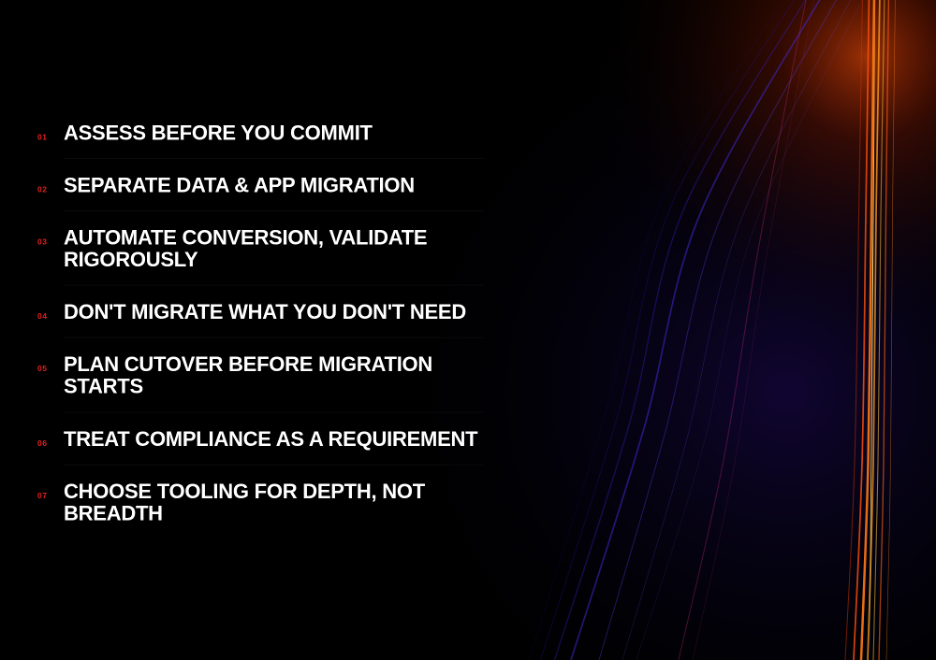
1. Assess Before You Commit to Anything
The single highest-ROI activity in any legacy migration is a thorough pre-migration assessment. Not a two-hour walkthrough. A complete object-by-object inventory: every stored procedure, trigger, view, function, and table, scored by complexity, with dependencies mapped.
Organizations that skip this step do not save the time they think they are saving. They borrow it. Undiscovered complexity does not disappear — it surfaces during execution, at execution-phase costs and timelines. A migration that should have taken four months runs eight because the team discovered 300 stored procedures in a schema that the inventory listed as containing 80.
Look for tooling that automates this discovery step. For example, a tool that scans source environments and produces a complexity score before a single object is converted, turning the guesswork out of project scoping into a structured, auditable output.
2. Separate Data Migration from Application Migration
These are two distinct workstreams. Conflating them is one of the most reliable ways to create cascading failures.
Data migration — moving tables, schemas, and records — has its own tooling, its own validation requirements, and its own risk profile. Reliable data migration services handle replication with near-zero downtime, but they do not cover the application layer. Application migration — converting embedded SQL, database API calls, and procedural code in the application tier — requires a separate capability.
Running them in parallel without clear handoff points creates integration chaos. Run them as sequenced, coordinated workstreams with explicit validation gates between them.
3. Automate Conversion, Then Validate Rigorously
Manual rewriting of stored procedures and embedded SQL is the most expensive line item in most legacy migrations. It is also the most error-prone. A DBA manually converting T-SQL to PostgreSQL syntax is making hundreds of micro-decisions per hour, under deadline pressure, with imperfect documentation. That is not a recipe for clean output.
The correct approach is high-automation conversion followed by rigorous exception handling. Tools for database migration and for application code conversion are built around exactly this model — maximizing automated conversion rates and producing structured exception reports for the objects that require manual review.
The efficiency difference between 60% automation and 95% automation is not 35 percentage points. It is typically a 3–4x difference in total project labor cost, because the work that falls outside the automated path — the exceptions — is the most complex, most time-consuming work in the project.
4. Don’t Migrate What You Don’t Need
Legacy systems accumulate. Tables that held data for a product discontinued ten years ago. Stored procedures called by an application that was decommissioned in 2019. Indexes supporting queries that no one runs. Views nobody references.
Every object you migrate is an object you have to convert, test, and maintain in the new environment. Before conversion begins, audit the source environment for active usage. Only migrate what is demonstrably in use. The objects that fail this test should be archived or retired, not carried forward. Organizations that do this step seriously often find that 20–30% of their source object count is dead code — a discovery that materially changes the project scope and cost.
5. Plan Cutover Before the Migration Starts
The cutover plan — the sequence of steps that takes the system from the legacy environment to the new one in production — should be written, rehearsed, and approved before a single object is converted. Not after. Not during parallel run.
This matters for two reasons. First, unplanned cutovers are where migrations die. The team runs out of time in a maintenance window, falls back to the legacy system, and loses weeks resetting. Second, the cutover plan defines the parallel run criteria — the conditions under which you can declare the migration complete and decommission the legacy system. An open-ended parallel run is one of the fastest ways to double a migration’s cost. Both systems running simultaneously is not a success state. It is a cost leak with a deadline you haven’t set yet.
6. Treat Compliance as a First-Class Requirement
Regulated industries — financial services, healthcare, government — carry documentation requirements that do not pause for migration projects. GDPR, SOX, HIPAA, PCI-DSS: each demands an auditable record of how data was handled during transit.
Build compliance logging into the migration architecture, not bolted on afterward. Define the audit artifacts you need before the migration begins, and verify that your tooling and services provider can produce them.
7. Choose Tooling for Depth, Not Breadth
A tool that claims support for 30 source databases but handles each superficially is the wrong tool. For any specific source-to-target path, depth of conversion matters infinitely more than the breadth of the tool’s marketing page.
The right question to ask any migration tooling vendor is not “What databases do you support?” It is: “For our specific source and target, what is your stored procedure conversion automation rate, and what does your exception handling process look like?” A vendor who cannot answer that question precisely does not have a precise answer.
For enterprises running Oracle, SQL Server, Sybase, Informix, or other legacy engines — with targets including PostgreSQL, MySQL, or cloud-native variants — this evaluation process is not optional. It is the decision that determines whether your project finishes in three months or nine.
Cost of Getting This Wrong
According to Forbes, unplanned downtime can cost large enterprises over $9,000 per minute. A single bad cutover in a financial services environment can cost more than the entire migration budget. That is not an abstract risk.
The organizations that succeed treat the migration as an engineering project with a defined scope, not a data transfer with an uncertain end date. They invest in assessment. They automate conversion at depth. They set cutover criteria before they start the clock. They use expert migration services to handle the data layer with precision while their teams focus on application-layer complexity.
The ones that don’t are still running parallel systems, wondering why the original estimate didn’t hold.
Conclusion
Legacy app migration to modern databases is one of the highest-stakes technical projects an organization can run — and one of the most frequently underestimated. The failure rate is not a mystery. It is the predictable outcome of teams that start executing before they understand what they are executing against.
The best practices here are not complicated. Assess completely. Separate workstreams. Automate at depth. Validate rigorously. Plan the cutover before the project starts. These are not new ideas — they are the practices that consistently separate the projects that finish from the ones that don’t.
The tooling to do this well exists. The services to support it exist. What separates a successful migration from an expensive lesson is usually the decision, made early enough, to use them.



-

 Resources5 years ago
Why Companies Must Adopt Digital Documents
-

 Resources4 years ago
A Guide to Pickleball: The Latest, Greatest Sport You Might Not Know, But Should!
-

 Resources1 year ago
50 Best AI Free Tools in 2025 (Tried & Tested)
-

 Resources1 year ago
Get Paid $5000+ a month to write : Discover 30 Spectacular Websites That Reward Your Writing Effort