Have you ever questioned yourself how websites are able to access users on-the-fly even when the recipient users are not even browsing? It is the magic of web push notifications, a communication channel that is quite powerful and broadcast in real-time directly through the browsers of users. This technology was first created by Google but has nowadays become one of the best, cheapest, and most engaging methods to re-engage people, foster customer relationships and increase conversions in any industry.
We will discuss the functionality of web push notifications, the most successful types, the reasons why brands use them and how you can begin sending your own so we will specifically be discussing enterprise oriented systems such as EngageLab WebPush. It does not matter if you are in e-commerce, SaaS, media, travel, finance, or any other digital sector—this guide will enable you to make the most of your communication strategy.
What Do Web Push Notifications Mean?
Web push notification, or also referred to as browser push or site push, is a clickable notification that a website directly pushes to the browser of a user. These notifications are a very noticeable and immediate communications channel; unlike emails or in-app messages, which the user can simply notice, since the site is closed. They support desktop, tablet and mobile browsers such as Chrome, Firefox, Safari, Edge and Opera.
These real-time messages are used by the brands:
- Breaking news
- Promotional offers
- Abandoned cart reminders
- Transaction updates
- Feature announcements
- Personalized recommendations
- Account alerts
- Service reminders
The best part? Users do not have to download an application. Your site can be in touch with them immediately when you give the go-ahead with a single click of the button.
How Do Web Push Notifications Work?
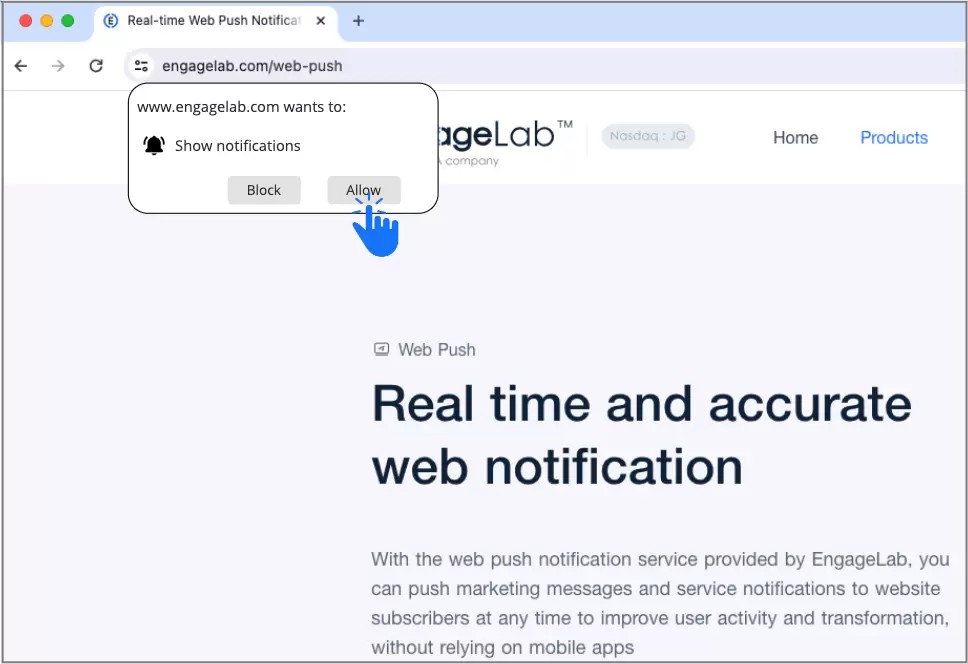
Web push technology is based on the idea of server-initiated communication. Push notifications in web enable the server to push the update instead of the user having to refresh a page.
Web Push Notification User Journey
It all starts when the user lands on your website.
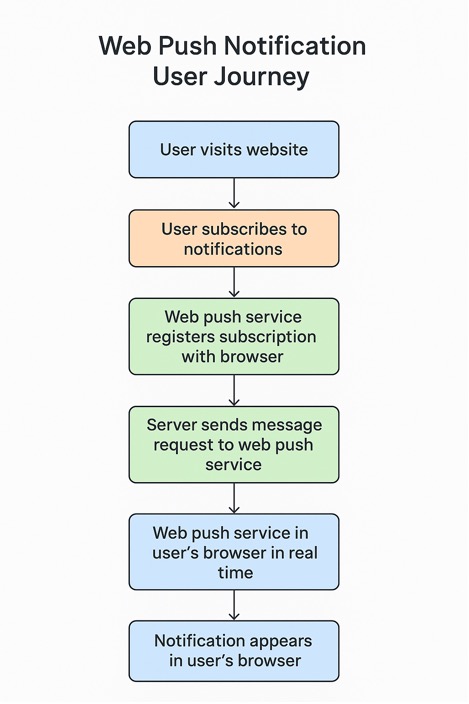
Step 1: The user comes to your site and subscribes to receive notifications.
Step 2: The web push service issues a special push subscription to the browser of the user and registers the permission.
Step 3: Once there is something to push to your users, a web push service requests a message to be sent to your web server.
Step 4: This is the web push service that identifies the target browser and sends the notification.
Step 5: The message is shown in real-time in the browser of the user and they do not even have to open your site.
The users can access your messages and reply to them when necessary in a prompt manner and this way your communication is always there when they need it.
Core Elements of Web Push Messages
This system has four core elements that include:
Web Push Service
The push service is another third-party service (such as EngageLab WebPush) which obtains the payload and directs it to the correct browser. It has continuing connection and retries; it is smart enough to manage retries, ensuring timely and reliable delivery of messages.
User Consent
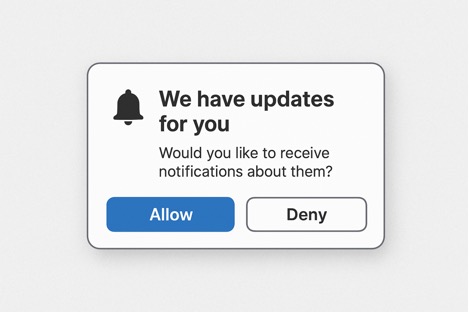
The process starts when a user comes to your site and a native browser permission request is being shown to him/her. On the event that they accept it, your site will be authorized to send subsequent notifications. This is a single opt-in that allows access to continued communication until the user opts out manually using settings in their browser.
Browser
A browser performs the role of a gatekeeper. It authenticates authorization, keeps records of the subscriptions and makes sure that the messages that users get are of good sources. Each of the leading browsers has got its background push mechanism to provide notifications in a reliable manner.
Web Server
Preparation of the notification payload is done by your server. And this contains the title, body of the message, image, icon, click-through link, and metadata. It subsequently transfers this package to the push service that is related to the browser of the individual user.
All these are simply all the elements of web push notifications.
Types of Web Push Notifications
The fundamental types of messages that brands usually provide are listed below. The next paragraphs will use the following sequences as demanded by the question:
Promotions & Offers
Such notifications target e-commerce, subscription services, and brick-and-mortar companies. They are used by the brands to emphasize a deal, flash sale, exclusive offer, discount, or seasonal promotion. They are capable of creating an immediate spike in traffic and real-time buying behavior because the messages will appear immediately.
Engagement Messages
Such messages can be used to keep in touch with your audience regularly. They feature welcome messages to new subscribers, update education to SaaS or nudges the users who have not been on in a long time. Constant contact messaging creates loyalty and loop.
Transactional Messages
These alerts make users aware of significant account-related or purchasing information. This involves confirmation of payments, shipping updates, updates on booking, updates on order, subscription updates among others. The transactional messages are usually highly clicked through due to such messages carrying mission-critical information.
Alerts & Reminders
These are urgent and time-sensitive, providing reminders of what is going on, whether the appointment was confirmed, a flight was changed, there was stock available, or it was deadline time. They are employed by businesses to minimize cancellations, no-shows and inquiries by customers.
Feedback or Survey Requests
Feedback is sent by brands as feedback notifications in order to gather insights or enhance product experience, or request a survey. When these messages are dispatched, they are likely to succeed when the user has done a particular action, e.g., when they have completed a purchase or completed an onboarding step.
Content Updates
In media platforms, blogs, learning portals, and community forums, the content notifications are used to notify users regarding new articles, videos, and posts or community interactions. These are very efficient messages in terms of traffic generation and increased returns.
Location-Based Notifications
Such hyper-personal messages are based on geographic relevance, including local events, offers in the local stores, local emergencies or local updates, increasing user relevance and interest.
Benefits of Web Push Notifications
Unlike emails that may go unread or end up in spam folders, web push notifications are noticeable on the device of the user. This makes your messages more likely to be read and rather noticed by the users.
Economical Marketing Channel
Web push notifications are comparatively cheap as compared to paid advertisements or conventional marketing campaigns. They provide direct access to your audience without constant advertisement expenses.
Personalization and Segmentation
Contemporary push notification systems enable dividing users by their activity, location, gadget, or choices. This is because the appropriate message can reach the proper audience at the appropriate time.
Instant Reach
Push notifications overcome the competition that could occur in the inbox and appear on the device of the user to be seen immediately.
Enhanced User Experience
Push notifications simplify and streamline digital interactions, whether it is purchase notifications or appointment notifications.
Conversion Boosting
Individualized and time-sensitive messages will go a long way towards boosting the rate of purchases, particularly in the case of abandoned cart or time-sensitive offers.
Analytics-Driven Optimization
Brands receive knowledge on CTR, conversion rate, subscriber behaviour, and message performance—to enable continuous improvement.
Direct, powerful, and economical, web push notifications are an effective means to be more engaged, drive traffic, and enhance conversion.
How to Send Web Push Notifications
To send out the notifications between your website and the users, you will have to select a web push service provider. Compare various providers according to such important aspects as delivery channels, success rates, features, prices and geographical coverage.
Step 1: Select a Web Push Service Provider
The choice of the provider defines all the aspects of deliverability to the segmentation choice. The use of a powerful platform such as EngageLab WebPush is very stable, globally distributed, analysed and can be customized to fit well. It also provides cross-browser compatibility.
Step 2: Obtain User Permission
The users are required to give a specific permission by their browser to send notifications. Brands tend to implement pre-permission UIs or engagement banners before activating it, providing the reason why subscribing would be useful to them. The permission is long-term and once received, remains until manually removed.
Step 3: Segment Your Audience
Audience segmentation makes your notifications relevant to them. It also enables you to segment your users into smaller groups based on their behaviors, preferences, geolocation, devices, tags or even interaction patterns, instead of blasting all of your users with the same general message. .
Step 4: Develop Notifications Customized to Individuals
In order to make a good notification, clear copy, fantastic visualization and strong call to action are required in that order. Customization is important in this matter. Targeted messages are much stronger than general blast messages, particularly those tailored to what that specific user has done – such as alerting them to a product they viewed or a piece of content they engaged with. .
Step 5: Notification Scheduling or Activation
The choice between automated triggers and broadcast scheduling is available. Planned messages work best with events, announcements, or even promotions. The messages are triggered by user actions, such as the abandonment of a cart or the update of an account.
Step 6: Track Performance
When an active campaign is running, analytics can be used to see what is working. Delivery success, click-through, conversions, user retention, and trend of opt-outs make a good measure in understanding the behavior of the user.
In case you have no time and you require a quick solution to a reliable web push service application, we would suggest EngageLab WebPush.
Why EngageLab WebPush Is Worth a Try and Why Enterprises Choose EngageLab
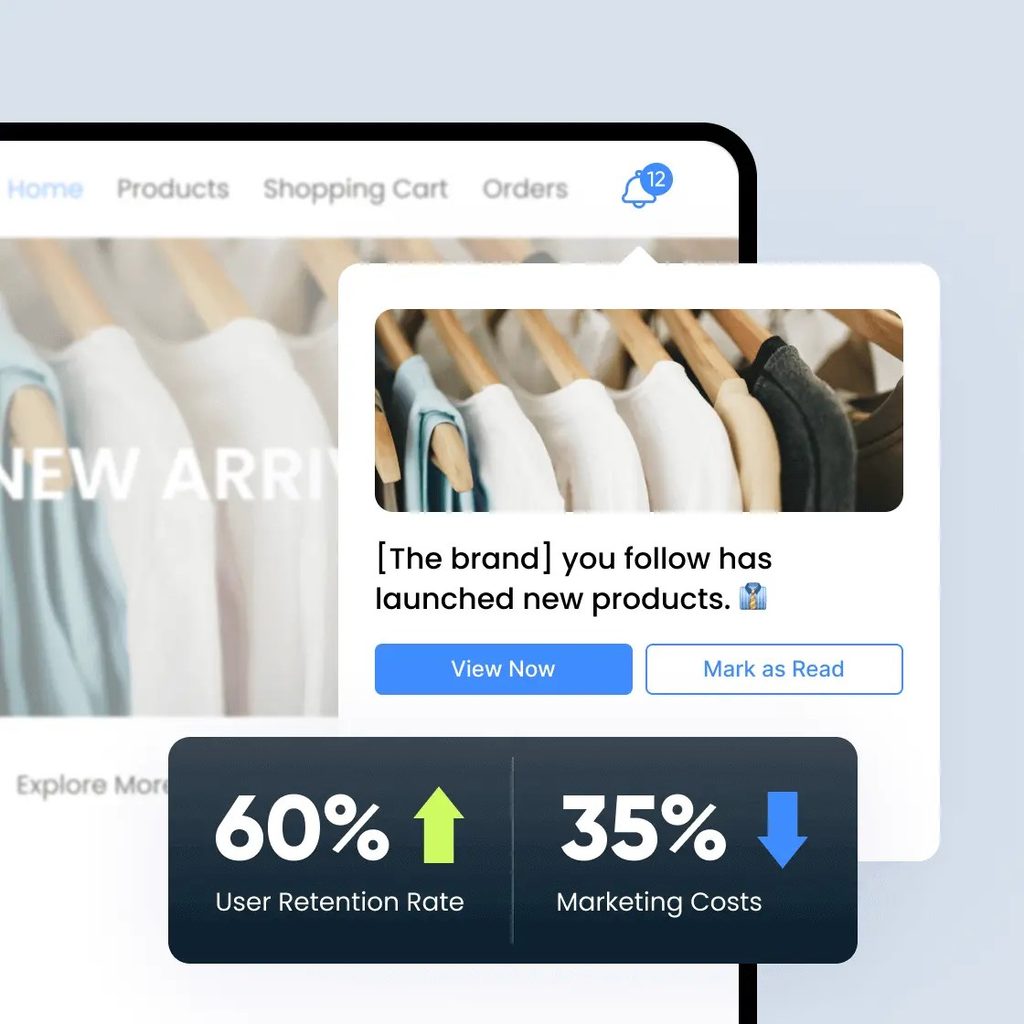
The key features of EngageLab WebPush include enterprise-grade stability, rapid integration, prompt permissions that are customizable, analytics, and powerful segmentation. The infrastructure worldwide makes it achieve high delivery rates and hence suitable to large firms or platforms that need to have reliable real-time communication.
Some of its reasons are discussed here.
1. Immediate Response to the Users
EngageLab WebPush sends push messages to devices of users even when they do not access your site. Web push notifications are viewed immediately on the browsers or on mobile screens; unlike email or social media where users need to open applications or check inboxes to see them, this attribute attracts attention instantly.
2. Higher Click-Through Rates
Since the push notifications are concise, to the point, and visually prominent features, they generally have far more favorable click-through rates compared to email campaigns. EngageLab can be used to send personalized messages depending on the behavior of the user and this is more likely to make the user act.
3. Innovative Segmentation and Personalization
You are able to divide your audience as per location, activity or preferences and communicate highly specific messages. As an example, a user that left a cart last night can get a targeted push notification that informs him/her that he/she has not made the purchase. Such personalization is the force behind increased engagement and conversions.
4. Automation & Scheduling of the Campaigns
EngageLab WebPush also allows automated triggers to be used, such as sending notifications when there is a new blog post or a product launch or a sale. Planned campaigns make sure that messages are released in the best time possible to each user which saves you on the effort and maximizes effectiveness.
5. Cross-Platform Compatibility
Displaying your messages on desktop or mobile, Windows or Mac, and Android, EngageLab WebPush can make sure that your messages are delivered without any issues. There is no need to handle the various devices by different tools.
6. Real-Time Analytics
You will be able to follow the delivery, open and click rates in real-time with detailed analytics. This will enable you to keep on optimizing your campaigns and to measure ROI correctly.
7. Increases Retention and Return Traffic
Web push notifications also motivate recurrent visits and develop brand loyalty by updating users on any developments, promotions, or content of particular interest.
The speed, personalization, automation, and analytics are all combined in EngageLab WebPush, which is a very effective method to connect with your audience, increase the number of conversions, and develop business.
Seamless Integration
The onboarding process of EngageLab is quick and developer-friendly and it takes little time to set up.
High-Quality Delivery Performance
Its multi-node routing connectivity guarantees that browsers do not get notifications delayed or fail to do so.
Deep Behavioral Analytics
EngageLab provides companies with an insight into the message channels, dead ends, customer actions, and engagement trends.
Effective Web Push Strategies
The brands should personalize the messaging, include persuasive CTA, keep the frequency adequate, and conduct A/B tests most of the time to perform to their best. Interactions and visibility are also enhanced by visual enhancements, i.e., icons or images. This is aimed at contacting users at the appropriate time, with the right message, and at the right format.
Use Images and Buttons
Pictures can be used to increase the level of engagement because they are more informative. Action buttons may also increase clicks.
Select Push Frequency with Caution
In order not to have it backfiring, do not send too many notifications to your users. Also send out notifications only when you have something important to say to your users. You may begin by notifying one or two times per week and then you can change depending on the performance.
Test and Optimize Your Notifications
Never stop performing A/B tests on your notification content, timing, frequency and targeting. Evaluate the performance data and focus on doing what is working. Narrow and improve on your notifications as time goes by.
Make Your Announcements Operational
Use a powerful call-to-action (CTA) to promote a certain behavior. An example of such messages would be, “30% off sale on all subscriptions today—Shop now.” Ensure that the CTA button or link is functional.
Conclusion
This guide has emphasized the functionality of web push notifications and the importance of this channel as a strong tool of immediate communication, retention, and conversion. Push notifications on the web can produce quantifiable business value with proper permission management, personalization and analytics.
With the ongoing development of web push with the help of AI-enhanced personalization, increased timing, and enhanced privacy, it is especially crucial to select the appropriate platform. EngageLab WebPush provides the stability, scalability and insights that businesses require in order to thrive using web push notifications now and in the future.

Author: Kokou Adzo
Kokou Adzo is the editor and author of Startup.info. He is passionate about business and tech, and brings you the latest Startup news and information. He graduated from university of Siena (Italy) and Rennes (France) in Communications and Political Science with a Master's Degree. He manages the editorial operations at Startup.info.