Resources
Why Manual Workflows Break as Teams Grow — and How Software Fixes the Gaps

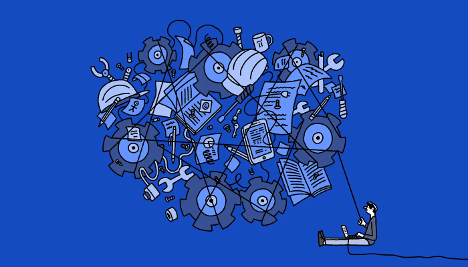
Growth is often treated as a purely positive milestone. More customers, more revenue, more people. Inside a company, though, growth usually brings a quieter set of challenges. Processes that once felt effortless begin to slow down. Simple tasks take longer. Teams feel busy, but progress becomes harder to measure.
Rarely does this happen in an overnight breakthrough. It forms over time as manual workflows reach beyond their design capacity. Understanding why that happens — and how modern software helps close those gaps — is increasingly a key factor in growing organizations.
The Early Advantage of Manual Processes
Surprisingly, manual workflows work well in small teams. Everyone knows what everyone is working on. Decisions are made in an instant because a common context exists. A request can be handled with a message or a short conversation. There is little need for documentation or structure, as memory fills the gaps.
In this stage, the process is not necessary. Speed comes from proximity, rather than systems.
But this is an advantage that only has a certain shelf life.
When Scale Introduces Friction
As teams grow, shared context starts to fade. New employees are hired, and they do not understand the past. Tasks are distributed over various departments. Correspondence goes from talking heads to inboxes.
The manual process begins to exhibit signs of stress in respect of:
- Tasks are postponed because of unclear ownership
- Requests are duplicated or lost
- Teams work on follow-ups rather than flow
- More time spent in coordinating than in deciding by managers
None of these problems is a matter of a lack of effort. Rather, the problems are the results of the fact that coordination has become a form of effort itself.
The Hidden Cost of Invisible Work
One of the biggest problems with manual workflows is that their cost is hard to see.
Employees spend time chasing updates, clarifying responsibilities, and redoing work that was missed or misunderstood. These activities rarely show up explicitly in project plans or dashboards but take up a significant percentage of the workday.
This “invisible work” creates a sense of constant motion without forward momentum. The teams feel busy, but the outcomes lag effort.
Over time, this friction takes its toll on morale, productivity, and quality of decisions.
Why Traditional Tools Fall Short
Many organizations try to fix workflow problems by adding more tools. Many organizations try to fix workflow problems by adding more tools. Email, shared documents, spreadsheets, and task trackers all serve a purpose, but they are rarely designed to work together.
Traditional tools focus on storing information, not moving work forward. They answer questions like:
- Where is this document?
- Who is assigned to this task?
- What was decided last week?
They do not answer a more important question: what needs to happen next?
Without systems that guide flow, teams rely on reminders and manual checks to keep work moving.
How Modern Software Changes the Equation
Modern workflow software takes a different approach. Instead of acting as passive storage, it actively supports coordination.
At a high level, these platforms help teams: Make ownership explicit, surface next steps automatically, reduce reliance on follow-ups, and improve visibility across teams
The result is not more automation for its own sake. It is fewer interruptions and clearer execution.
Workflow Visibility
One of the most direct advantages of software-based workflows involves the concept of visibility.
Because all team members have visibility into what is in progress, blocked, and finished, there is less time spent asking for the status. More work can progress because the unknown is minimized.
This visibility makes it easier for managers to spot potential bottlenecks before delays snowball into bigger issues.
Clear Ownership
By using manual workflows, there may be an implied responsibility. This means that someone will be expected to do a certain task, but it won’t be explicitly given to them.
Software-based workflows take the guesswork out of this. There is clarity on who owns each step of the process, which makes it easier for individuals to take appropriate actions. It helps eliminate holdups and ambivalence, as it can be difficult to work on something whose ownership is unclear.
Fewer Interruptions
Environments consisting of manual work involve coordination by interruption. Messages and reminders bridge the gaps arising from unclear processes.
Structured work processes mean that there are fewer interruptions required. The system reveals what’s important when it’s important, and people can concentrate on what they’re really working on. This change alone can bring about a marked difference to productivity.
Practical Examples of Workflow Improvement
The benefits of modern workflow software become clearer in everyday situations. Platforms that focus on workflow clarity, such as tools like Wrangle, help teams keep hiring and people operations moving without relying on memory, inboxes, or constant follow-ups.
Internal requests
Without structure, internal requests arrive through multiple channels. Tracking them becomes difficult. With workflow software, requests follow a defined path and are visible until resolved.
Cross-functional collaboration
When teams share visibility into dependencies, coordination improves. Deadlines become more reliable because surprises are reduced.
Hiring and people operations
Even processes like hiring and onboarding benefit from clearer workflows. Platforms such as tools like Wrangle help teams manage coordination without relying on memory or constant follow-ups.
These improvements are often incremental, but their combined effect is significant.
The Role of Software in Accountability
“Accountability could fail if the work done is not visible.”
When tasks and ownership are clearly understood, accountability is distributed, not mandated. This helps teams understand where their work connects into the larger process.
This makes the atmosphere more stress-free, and problems are less hard to solve once they are raised early.
How Better Workflows Improve Employee Experience
Employee experience is influenced both by processes and by culture. Unclear workflows cause stress. People must wonder, wait, or fix mistakes. When workflows are clear, there is less stress and more focus. With the passage of time, efficient workflows lead to employee retention and engagement and help build their trust in the organization.
Where Workflow Software Is Headed
The next generation of workflow software is more concerned with integration than the previous generation. Systems are well-integrated these days, allowing work to move across departments with ease. Automation of routine activities allows humans to focus on collaboration.
These become less noticeable as they mature. A well-functioning piece of software is hardly noticeable. Things get done.
Key Takeaways
Manual workflows break down as teams grow, creating hidden friction and invisible work. Traditional tools store information but do little to support coordination.
The more contemporary workflow software helps to clarify things through enhanced visibility, ownership, and flow of work. This enhances accountability, minimizes distractions, and helps to scale teams without losing pace.
When organizations expand, having good workflows becomes more of a strategic differentiator.
Author Bio: Tanner Gilligan works on workflows and operations at Wrangle, focusing on HR technology, AI in workflows, and business process automation.



-

 Resources4 years ago
Why Companies Must Adopt Digital Documents
-

 Resources3 years ago
A Guide to Pickleball: The Latest, Greatest Sport You Might Not Know, But Should!
-

 Guides2 years ago
Guest Posts: Everything You Should Know About Publishing It
-

 Resources9 months ago
50 Best AI Free Tools in 2025 (Tried & Tested)