Tech
Dell Alienware AW3225QF vs AW3225DM: Which 32-Inch Gaming Monitor Should You Buy?

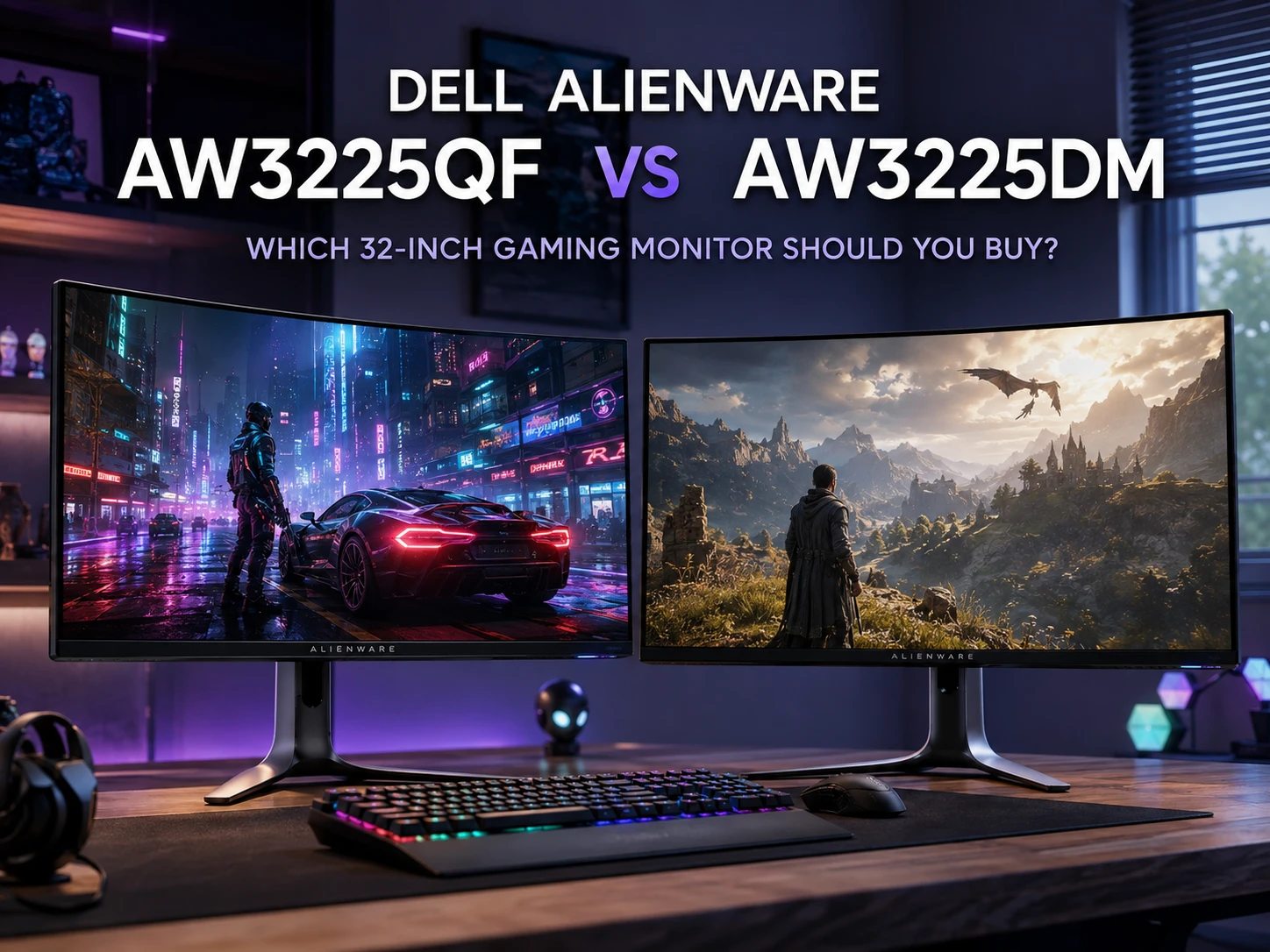
At first glance, the Dell Alienware AW3225QF and AW3225DM seem pretty similar. Both are large curved gaming monitors, both carry the Alienware name, and even the model numbers look almost identical.
Once you look past the names, though, the two monitors are very different.
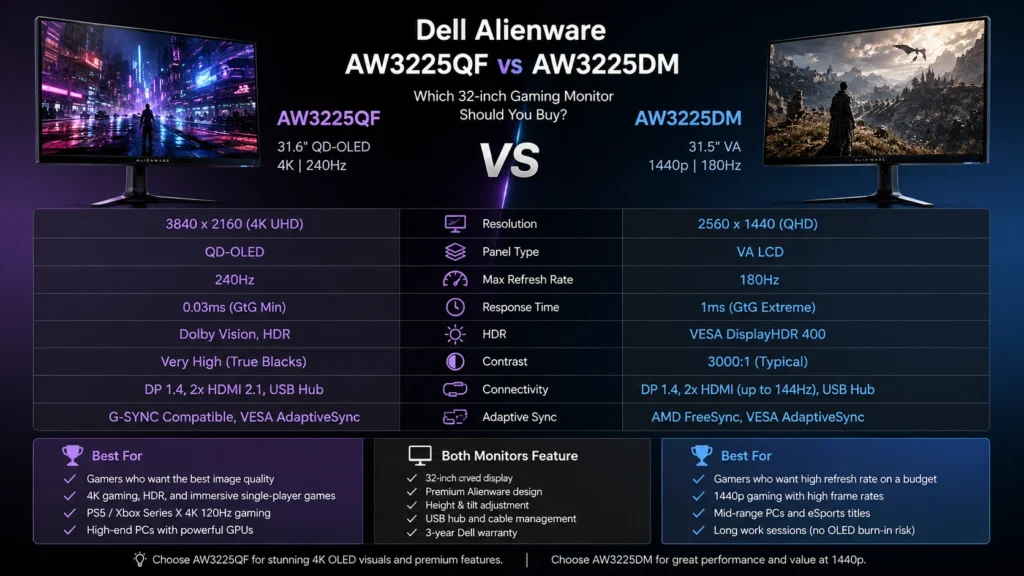
The Alienware AW3225QF is a premium 31.6-inch 4K QD-OLED monitor with a 240Hz refresh rate. The Alienware AW3225DM is a 31.5-inch 1440p VA monitor that runs at up to 180Hz.
That difference changes almost everything. Picture quality, HDR, motion clarity, GPU requirements, console support, and price all move in different directions.
For a direct side-by-side breakdown, the full Dell Alienware AW3225QF vs Dell Alienware AW3225DM comparison covers the key hardware and feature differences.
Alienware AW3225QF vs AW3225DM Specs
Here is the short version before getting into the details.
| Feature | Alienware AW3225QF | Alienware AW3225DM |
|---|---|---|
| Screen size | 31.6 inches | 31.5 inches |
| Panel type | QD-OLED | VA LCD |
| Resolution | 3840 × 2160 | 2560 × 1440 |
| Maximum refresh rate | 240Hz | 180Hz |
| Response time | 0.03ms minimum GtG | 1ms GtG Extreme |
| Pixel density | Around 140 PPI | Around 93 PPI |
| Curve | Curved | 1500R curved |
| HDR | Dolby Vision, HDR | DisplayHDR 400 |
| Adaptive sync | G-SYNC Compatible, VESA AdaptiveSync | FreeSync, VESA AdaptiveSync |
| DisplayPort | DisplayPort 1.4 | DisplayPort 1.4 |
| HDMI | 2 × HDMI 2.1 | 2 × HDMI |
| USB hub | Yes | Yes |
| VESA mount | 100 × 100 mm | 100 × 100 mm |
On paper, the AW3225QF clearly has the stronger specification sheet. Real use makes the gap just as obvious, mainly in dark scenes, HDR games, motion, and image sharpness.
The AW3225DM has a different strength. It gives gamers a large 1440p screen with a high refresh rate, without asking as much from the graphics card.
QD-OLED vs VA Is the Biggest Difference
Panel technology separates these monitors more than anything else.
The AW3225QF uses QD-OLED. Each pixel creates its own light and can switch off completely. Black areas can look truly black instead of dark gray.
That makes a big difference in games with dark environments.
Think of Cyberpunk 2077 at night, Alan Wake 2, Resident Evil, Dead Space, or any game with bright lights against dark backgrounds. The AW3225QF can show much stronger contrast between bright and dark parts of the image.
The AW3225DM uses a VA LCD panel. VA panels are known for stronger contrast than many IPS displays, so the result is still quite good for an LCD monitor. It just cannot match OLED black levels.
You will probably notice the gap most in a dim room.
The AW3225DM can still look punchy and attractive, especially with SDR games. Put the two monitors side by side with the lights low, though, and the OLED model looks much richer.
4K vs 1440p at 32 Inches
Resolution matters a lot on a screen this large.
The AW3225QF has a native resolution of 3840 × 2160. At around 32 inches, that works out to roughly 140 pixels per inch.
The AW3225DM uses 2560 × 1440, which lands closer to 93 pixels per inch.
You do not need a magnifying glass to see the difference.
Text looks cleaner on the 4K screen. Game textures can appear sharper. Fine details in photos, websites, menus, and desktop applications are easier to pick out too.
The AW3225DM is not blurry. Still, 1440p stretched across 31.5 inches looks less crisp than 1440p on a typical 27-inch monitor.
There is a catch.
4K gaming puts much more pressure on the GPU.
A graphics card that runs a game comfortably at 1440p can lose a large chunk of frame rate at 4K. That matters even more once ray tracing enters the picture.
So yes, the AW3225QF looks sharper. The AW3225DM can be easier to drive at high frame rates.
240Hz OLED Feels Faster Than the Numbers Suggest
Refresh rate gives the AW3225QF another advantage.
It reaches 240Hz. The AW3225DM reaches 180Hz through DisplayPort.
Both are fast.
For most people, 180Hz already feels very smooth. Moving to 240Hz is less dramatic than moving from 60Hz to 144Hz, but competitive players can still appreciate it.
The bigger advantage comes from OLED response times.
Pixels on the AW3225QF change state extremely fast. Fast camera movement stays cleaner, and moving objects leave less visible blur behind them.
The AW3225DM is still a capable gaming monitor. Its VA panel can show some dark smearing during fast movement, especially around dark objects on darker backgrounds.
That can stand out in fast shooters.
Players who spend hours in Counter-Strike 2, Valorant, Fortnite, Apex Legends, or Call of Duty will get more motion clarity from the AW3225QF.
There is one practical detail to keep in mind. Running a modern game at 4K and 240 frames per second is tough. Esports titles can get there with powerful hardware. Big AAA games often will not.
That makes the 1440p 180Hz setup of the AW3225DM quite sensible for a midrange gaming PC.
HDR Is Much Better on the AW3225QF
If HDR gaming is high on your list, the choice gets easier.
The AW3225QF is built for it.
OLED pixels can control light individually, so a bright object can sit right beside a black area without a large glowing halo around it.
That helps explosions, neon signs, headlights, reflections, stars, and bright UI elements look more convincing.
The monitor supports Dolby Vision too.
The AW3225DM carries DisplayHDR 400 certification, but that badge does not put it anywhere near OLED-level HDR.
It can display HDR signals, yet the overall effect is much more limited. Blacks are not as deep, bright highlights have less punch, and local dimming is far less precise.
For SDR gaming, the AW3225DM is fine.
For HDR, the AW3225QF wins by a wide margin.
Bright Rooms Change the Picture a Little
QD-OLED looks fantastic in controlled lighting, but strong ambient light can change how black areas appear.
Under bright room lighting, dark areas on a QD-OLED panel can look slightly raised rather than perfectly black. Some users describe the effect as a faint purple or gray tint.
That is more noticeable in rooms with large windows or strong lights facing the screen.
The AW3225DM does not have the same OLED surface behavior.
So a bright office can make the VA model easier to live with in one narrow sense.
Still, the AW3225QF remains the better-looking display in most gaming situations. Curtains, blinds, and sensible monitor placement can help a lot too.
What About OLED Burn-In?
This is the question many buyers have before choosing the AW3225QF.
OLED panels can develop permanent image retention after very long exposure to static content.
Common examples include:
- The Windows taskbar
- Browser tabs
- Game HUD elements
- Spreadsheet menus
- Video editing controls
- Static application toolbars
For a gaming-focused setup, burn-in is less scary than it sounds, especially if content changes often.
For someone who leaves the same desktop applications open for eight or ten hours every day, the risk deserves more thought.
Dell includes three-year coverage for OLED burn-in with the AW3225QF. That makes the purchase easier to accept for buyers worried about long-term use.
The AW3225DM uses an LCD panel, so OLED burn-in is not part of the equation.
If your monitor spends most of its life showing spreadsheets, browser windows, dashboards, and office tools, the AW3225DM can feel like the safer long-term choice.
Which One Is Better for PS5 and Xbox Series X?
Console owners should look closely at the ports.
The AW3225QF has HDMI 2.1 and supports the features expected from a modern premium console monitor.
That includes:
- 4K resolution
- 120Hz console gaming
- HDR
- Variable refresh rate
- HDMI 2.1 bandwidth
It pairs very well with a PS5, PS5 Pro, or Xbox Series X.
The AW3225DM is more limited over HDMI. It is designed around 1440p gaming and does not offer the same 4K 120Hz experience.
For a PC-only setup, that may not matter much.
For someone connecting both a gaming PC and console to the same monitor, the AW3225QF is the more complete option.
Ports and Connectivity
The AW3225QF has the better connection set.
You get:
- 1 × DisplayPort 1.4
- 2 × HDMI 2.1
- USB hub support
- USB Type-A ports
- USB Type-C downstream connectivity
The AW3225DM keeps things simpler:
- 1 × DisplayPort 1.4
- 2 × HDMI
- USB Type-B upstream
- 2 × USB Type-A downstream ports
One small disappointment is that neither model acts like a full USB-C laptop docking monitor.
The USB-C connection on the AW3225QF should not be confused with the full single-cable USB-C setups found on some productivity monitors.
If you regularly compare ports, panel types, and gaming features before buying, the monitor and tech comparisons on Better Buy Base are useful for narrowing down similar models.
The AW3225DM Makes More Sense for Midrange GPUs
This is where the cheaper Alienware earns its place.
The AW3225QF is the stronger monitor, but 4K gaming can be demanding.
Modern games with high settings, ray tracing, and complex lighting can push graphics cards hard at 3840 × 2160.
DLSS, FSR, XeSS, and frame generation can help. They do not magically turn every graphics card into a 4K 240Hz powerhouse.
The AW3225DM runs at 2560 × 1440.
That resolution is much easier for a GPU to handle. A system that gets 80 frames per second at 4K could run the same game much faster at 1440p, depending on the title and settings.
For players who care about smooth frame rates more than maximum sharpness, that is a real advantage.
A midrange GPU and a 1440p 180Hz monitor can be a very balanced combination.
Real Issues to Know About Before Buying
No monitor is perfect, and both Alienware models have a few things worth knowing.
AW3225QF issues
Possible annoyances include:
- VRR flicker in some dark scenes
- Higher GPU demands at 4K
- OLED burn-in risk over very long use
- Raised blacks under strong room lighting
- Premium pricing
VRR flicker can appear when frame rates change rapidly. Some people barely notice it. Others spot it straight away in dark games.
Keeping frame rates more stable can reduce how obvious it looks.
AW3225DM issues
The AW3225DM has its own compromises:
- Some VA dark smearing
- Weak HDR compared with OLED
- Lower pixel density
- Narrower viewing angles
- Full 180Hz refresh rate requires DisplayPort
- More limited HDMI support
- No OLED-level black performance
None of these points makes it a bad monitor.
They simply show where Dell cut costs to create a cheaper 32-inch Alienware gaming display.
Which Monitor Is Better for Work?
This one is less straightforward.
The AW3225QF has sharper text. Its 4K resolution gives you more usable detail across the screen, which is great for websites, documents, coding, photo work, and multitasking.
The OLED panel brings the burn-in question back into the discussion.
Static desktop content can stay on screen for hours.
The AW3225DM has lower pixel density, but its LCD panel is easier to use for long office sessions without thinking about static elements.
So the split is fairly simple.
Choose the AW3225QF if you want sharper text and premium gaming from the same monitor.
Choose the AW3225DM if you spend most of the day on static desktop applications and gaming comes later.
For more buying guides on gaming hardware, displays, phones, TVs, and everyday electronics, Better Buy Base focuses on practical differences that matter after you actually start using the product.
Who Should Buy the Alienware AW3225QF?
The AW3225QF is the stronger pick for buyers who want:
- 4K gaming
- QD-OLED picture quality
- Deep blacks
- Better HDR
- 240Hz refresh rate
- Very fast pixel response
- PS5 or Xbox Series X support at 4K 120Hz
- A high-end gaming PC setup
- Sharper desktop text
- Better movie performance
It costs more and asks more from your GPU, but the display quality is in a different class.
Who Should Buy the Alienware AW3225DM?
The AW3225DM makes more sense for buyers who want:
- 1440p gaming
- 180Hz refresh rate
- Lower GPU requirements
- A large 32-inch curved screen
- Good SDR contrast
- No OLED burn-in concerns
- A monitor for long work sessions
- Better value from a midrange PC
It gives up 4K, OLED, premium HDR, and 240Hz. In return, it is easier to drive and easier to justify with less expensive hardware.
Dell Alienware AW3225QF vs AW3225DM: Which One Should You Buy?
The Alienware AW3225QF is the better monitor overall.
Its 4K QD-OLED panel delivers sharper detail, deeper blacks, cleaner motion, better HDR, and a faster 240Hz refresh rate. HDMI 2.1 makes it the stronger option for modern consoles too.
The Alienware AW3225DM is the more practical value choice for a different type of buyer.
Its 1440p resolution places less strain on the GPU, 180Hz is already very fast, and the VA panel works well for SDR gaming. It is a sensible match for midrange gaming PCs and people who use one screen for work and gaming.
The AW3225QF suits a premium gaming setup.
The AW3225DM suits someone who wants a big, fast Alienware monitor without paying for QD-OLED.
They may share a similar name, but they are not really competing at the same level. Pick the AW3225QF for image quality and high-end gaming. Pick the AW3225DM for better value and easier 1440p performance.



-

 Resources5 years ago
Why Companies Must Adopt Digital Documents
-

 Resources4 years ago
A Guide to Pickleball: The Latest, Greatest Sport You Might Not Know, But Should!
-

 Resources1 year ago
50 Best AI Free Tools in 2025 (Tried & Tested)
-

 Resources1 year ago
Get Paid $5000+ a month to write : Discover 30 Spectacular Websites That Reward Your Writing Effort