Artificial Intelligence (AI)
From Ideas to Motion: How AI Is Changing Visual Content Creation

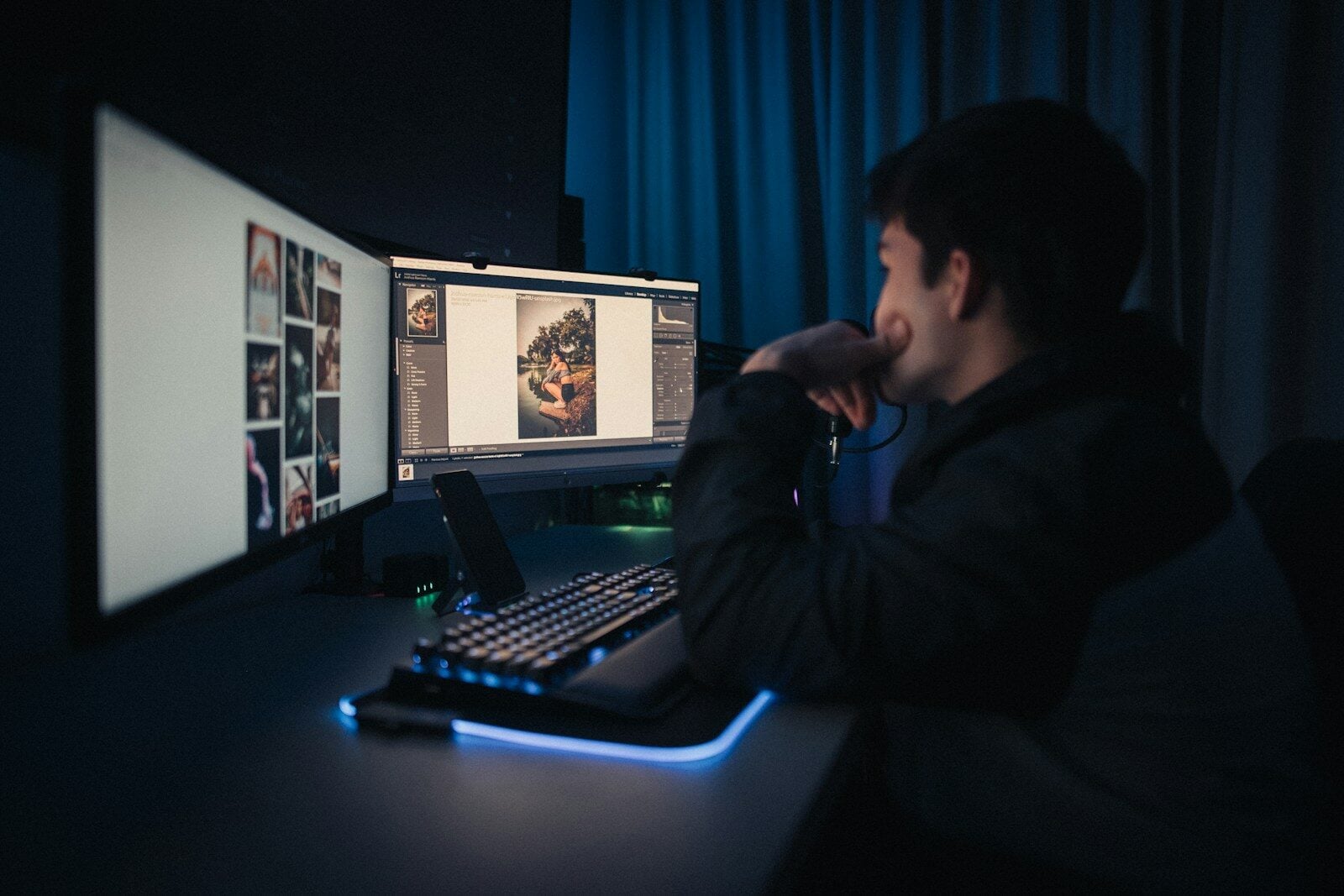
Creating video content used to involve a long production process. A simple concept could require scripting, photography, filming, animation, editing, and several rounds of revisions before becoming a finished video.
Generative AI is changing that process by allowing creators to experiment with visual ideas much earlier.
Today, a creator can begin with a written concept, a single image, or even an unfinished visual and turn it into moving content. This has made AI particularly useful for marketing teams, social media creators, designers, and independent filmmakers.
The Shift From Static Content to Motion
Images have always played an important role in digital content. Product photos, illustrations, advertisements, concept art, and social media graphics can communicate an idea quickly.
The challenge comes when those static assets need to become video.
Instead of recreating the entire scene manually, creators can now use generative AI to introduce movement, camera changes, environmental effects, and other forms of animation.
This creates a much shorter path between a finished image and a usable video concept.
Turning Existing Images Into Video
One of the most practical AI video workflows starts with an image that already exists.
A product photograph, character illustration, AI-generated artwork, or concept frame can be used as the foundation for a new clip. An AI image to video generator can then interpret the image and generate movement around the existing visual.
This approach is useful when maintaining the original composition matters.
For example, a marketer could take an existing product image and create a short promotional sequence around it. A designer could animate an illustration for social media. A filmmaker could turn a concept frame into an early version of a cinematic shot.
The image provides the visual foundation, while AI adds motion.
Creating Video Directly From an Idea
Another workflow begins without an image.
Instead, the creator describes the desired scene using text.
An AI text to video generator can interpret a prompt describing the subject, environment, camera movement, lighting, and overall mood, then generate a video based on that description.
This can be particularly useful during the concept stage.
A filmmaker could describe a futuristic city at night. A marketing team could describe a product advertisement. A social media creator could describe a short visual story.
The resulting clip can then be evaluated, modified, or used as a starting point for further production.
These Two Workflows Solve Different Problems
Image-to-video and text-to-video generation may appear similar, but they serve different creative needs.
Image-to-video starts with an existing visual reference. The objective is usually to preserve important elements while adding motion.
Text-to-video starts with a written description. The objective is to create the visual scene from the concept itself.
This means creators do not necessarily have to choose one approach.
A project can use both.
A creator might first use text to develop several concepts, select the strongest one, generate a reference image, and then use that image as the starting point for a video.
AI Makes Prototyping More Accessible
One of the biggest advantages of generative video is rapid experimentation.
Traditional production can make experimentation expensive. Every new idea may require additional filming, editing, or animation.
AI lowers the cost of testing those ideas.
A creative team can generate multiple versions of a scene and compare them before deciding which direction to develop further.
This is particularly useful during:
- Storyboarding
- Advertising concept development
- Product visualization
- Social media planning
- Short-film development
- Presentation design
- Visual effects planning
The generated video does not always need to become the final asset. Sometimes its most valuable role is simply helping the team decide what the final asset should look like.
Marketing Is One of the Biggest Use Cases
Marketing teams constantly need new visual content.
A single campaign may require different formats for websites, social media, advertisements, presentations, and email campaigns.
Generative AI can help teams adapt a core visual concept into multiple formats.
For example, a product image can become a short animated advertisement. A campaign concept can become several social clips. A static illustration can become a motion graphic.
This makes AI video particularly useful for teams that need to produce variations without rebuilding every asset from scratch.
The Importance of Visual Consistency
Generating a video is only one part of the challenge.
Creators also need to maintain consistency.
Characters should look similar from scene to scene. Products should retain their appearance. Lighting and environments should make sense within the same visual world.
This is why reference images are becoming increasingly important in AI video workflows.
Starting with a carefully designed image gives creators a stronger visual anchor when developing subsequent motion.
AI Doesn’t Replace Creative Direction
Generative AI can produce visual results quickly, but speed does not automatically create a good story.
Someone still needs to determine:
- What the audience should understand
- Which visual style fits the project
- How scenes should connect
- What should happen in each shot
- Which generated results are worth keeping
- What needs to be edited or regenerated
The creator’s role therefore shifts toward direction, selection, refinement, and storytelling.
Instead of spending all of their time producing individual assets, creators can spend more time deciding which ideas deserve development.
A New Creative Production Loop
A modern AI-assisted workflow can look something like this:
Idea → Image or text concept → AI generation → Review → Refinement → Editing → Final content
The process is not necessarily linear.
A creator might move from text to image, image to video, back to image editing, and then return to video generation.
That flexibility is one of the defining characteristics of generative AI.
What This Means for Creators
The biggest change may not be the ability to generate videos automatically.
It is the ability to experiment before committing.
A creator with an idea no longer has to wait until filming or animation begins to discover whether the concept works visually. They can create rough versions early, compare alternatives, and refine the strongest direction.
As AI image and video models continue to improve, the distance between an idea and a visual prototype will become smaller.
The result is a creative process where images can become motion, text can become scenes, and early experiments can evolve into finished visual stories.


-

 Resources5 years ago
Why Companies Must Adopt Digital Documents
-

 Resources4 years ago
A Guide to Pickleball: The Latest, Greatest Sport You Might Not Know, But Should!
-

 Resources1 year ago
50 Best AI Free Tools in 2025 (Tried & Tested)
-

 Resources1 year ago
Get Paid $5000+ a month to write : Discover 30 Spectacular Websites That Reward Your Writing Effort