Resources
iPhone Locked to Owner? How to Remove iCloud Activation Lock Without Apple ID

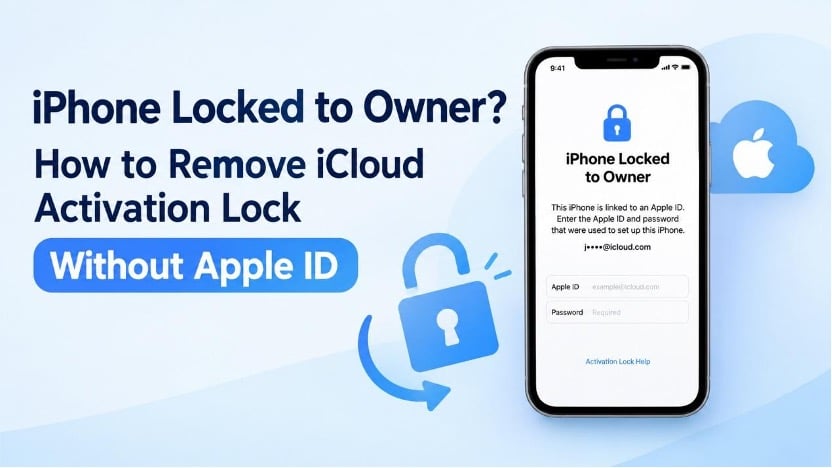
Seeing the “iPhone Locked to Owner” message after turning on your iPhone can be frustrating, especially if you bought the device secondhand or forgot the Apple ID information linked to it. This screen means the device is protected by Apple’s Activation Lock, a security feature designed to prevent unauthorized use of lost or stolen iPhones.
Fortunately, there are several ways to address this problem. In this guide, we’ll explain why Activation Lock appears and show you five ways to remove Activation Lock without an Apple ID.
Why Is Your iPhone Locked to Owner?
Activation Lock works alongside Find My to protect your iPhone. Once Find My is enabled, the device becomes linked to your Apple Account, making it harder for others to use if it’s lost or stolen. This link may persist after the device has been erased.
You may encounter this screen if:
- You bought a second-hand iPhone that is still linked to the previous owner’s Apple Account.
- You can no longer remember the email address or password for the Apple Account connected to your device.
- You received an iPhone as a gift, but the previous owner did not sign out of their account.
- You erased or factory reset your iPhone while Find My was still turned on.
To complete activation, you usually need the linked Apple Account credentials or an authorized method to remove Activation Lock.
Can You Remove iCloud Activation Lock Without an Apple ID?
Yes, in some circumstances. The recommended options include asking the previous owner to remove the device from their account, regaining access to your Apple Account, or contacting Apple Support for assistance. Third-party software may also offer an option for certain compatible devices, but support is limited by the iPhone model, iOS version, and specific lock state.
Before trying any method, confirm that you have the legal right to access the device. Be cautious of services promising to unlock every iPhone instantly, regardless of its model or software version.
5 Ways to Remove iCloud Activation Lock Without Apple ID
Method 1. Ask the Previous Owner to Remove the Activation Lock
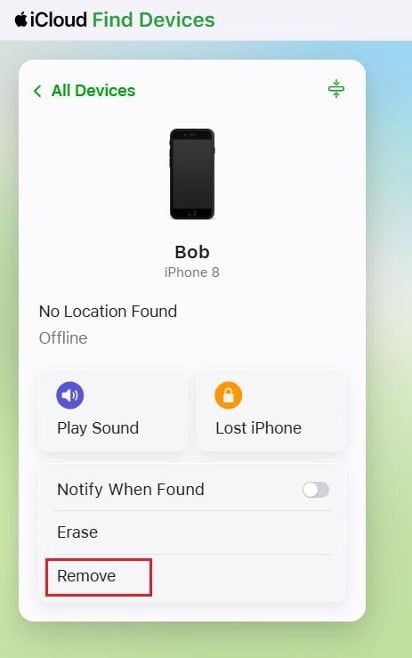
If you bought a secondhand iPhone, contacting the previous owner is usually the easiest and safest solution. They do not need to meet you in person or share their Apple Account password. Ask them to remove the device from their account remotely by following these steps:
- Open iCloud.com and log in with the Apple Account previously used on the iPhone.
- Find and select the device from the list.
- Click Remove from Account to disconnect the iPhone.
- Reboot the device and try activating it again.
Once the previous owner successfully removes the Activation Lock, you should be able to set up the iPhone with your own account. If the seller refuses to help or cannot be reached, consider requesting a refund.
Method 2. Use a Professional iPhone Unlocker Tool
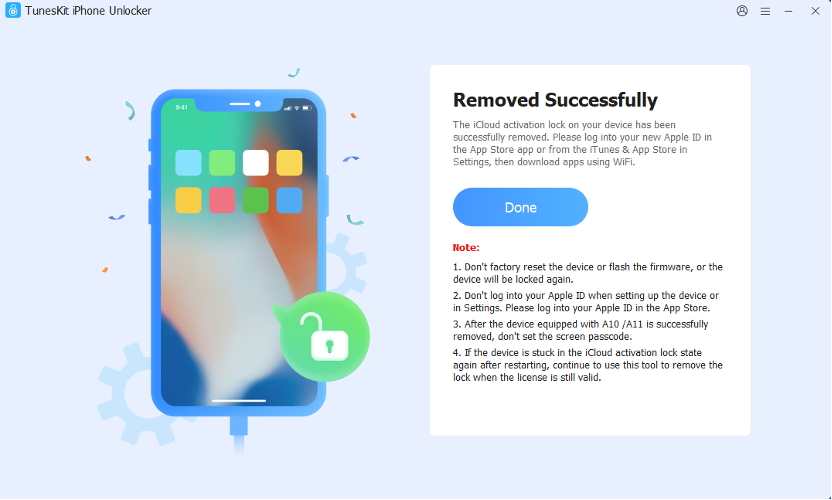
If you cannot contact the previous owner, a professional iPhone unlocking tool may be another option. TunesKit iPhone Unlocker is designed to help users deal with different iOS lock issues, including Apple Account restrictions, MDM locks, forgotten iPhone passcode, and iCloud Activation Lock. One of its main advantages is that it provides a guided unlocking process for users without advanced technical knowledge. For compatible devices, the Activation Lock removal feature can help you regain access without entering the original Apple Account credentials or contacting the previous owner.
Here’s how to get started:
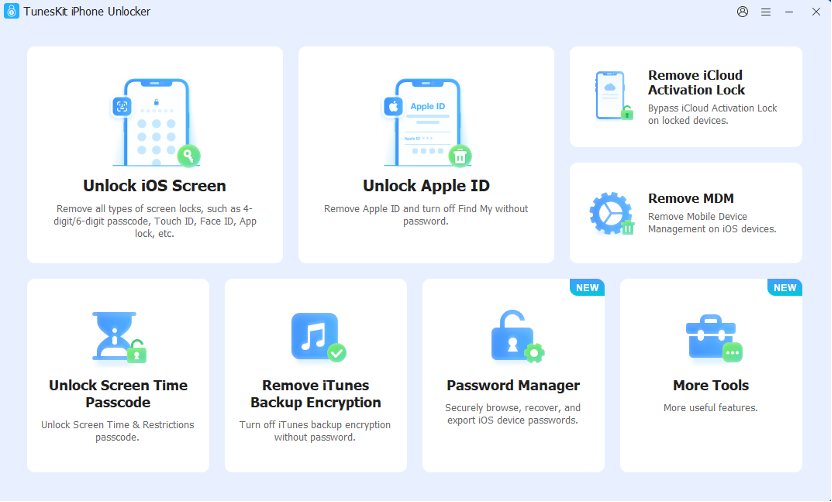
1. Visit the TunesKit iPhone Unlocker website and download the compatible version for your computer. Launch TunesKit and connect your iPhone to the computer with a USB cable.
2. Choose Remove iCloud Activation Lock and verify that your device is supported.
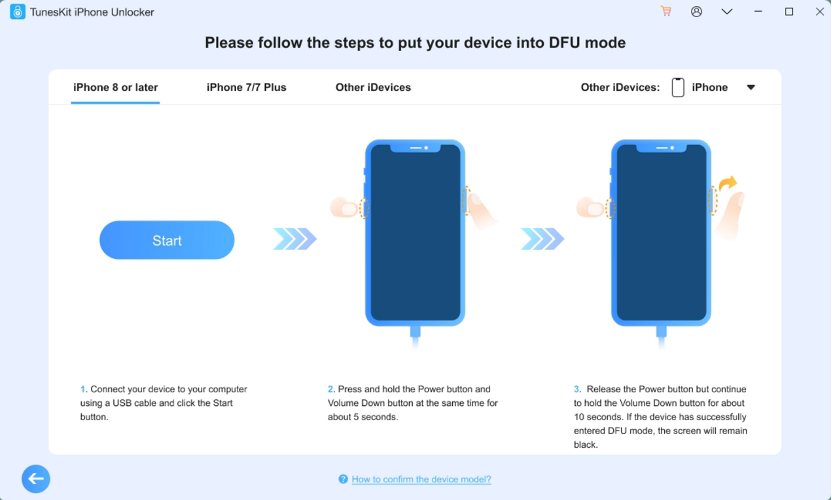
3. Follow the on-screen guidance to prepare your iPhone. Manual entry into DFU mode may be required.
4. After TunesKit detects your device, proceed with the Activation Lock removal process. Wait for the software to complete the process before disconnecting your iPhone. Afterward, follow the instructions shown on the device to check whether you can proceed with setup.
Method 3. Recover Your Apple Account
For an iPhone registered to your account, try account recovery before considering other solutions. The device may still be associated with your Apple Account even if you no longer remember the login password.
Try these steps:
1. Visit Apple’s account recovery page at iforgot.apple.com.
2. Provide the email address or phone number linked to your Apple Account.
3. Complete the steps to reset your password or restore account access.
4. Go back to your iPhone and sign in with your updated credentials when requested.
After recovering your account, you should be able to verify your identity and finish activating the device. This approach also preserves your ability to use your own Apple services normally.
Method 4. Contact Apple Support with Proof of Purchase
If neither account recovery nor contacting the previous owner is an option, consider asking Apple to review your situation.
1. Go to Apple’s Activation Lock support page and submit a support request according to the provided instructions.
2. Have your original purchase receipt and any other required documents ready. Ensure the paperwork identifies the iPhone and provides evidence that you own it.
3. Wait for Apple to evaluate each request on a case-by-case basis.
Realize that submitting a request does not guarantee approval. If the iPhone was purchased secondhand without valid documentation, you may need to contact the seller instead.
Method 5. Check Whether DNS Bypass Is an Option
DNS bypass is an older workaround that may provide limited access to certain network features on some iPhones. However, it does not permanently remove iCloud Activation Lock, and its success depends on the device and network configuration.
To try this method:
- Turn on your iPhone and select your preferred language and country or region.
- On the Wi-Fi setup screen, tap the information icon next to your Wi-Fi network.
- Open the DNS settings, choose Manual, and enter a DNS server address appropriate for your region.
- Save the settings, return to the Wi-Fi screen, and reconnect to the network.
- Check whether the device offers any limited access to network features.
DNS server addresses vary by region and may no longer work. This method does not remove the original owner’s Apple Account or fully activate the iPhone. For a more reliable solution, contact the previous owner, recover your Apple Account, or request assistance from Apple Support.
FAQs About iPhone Locked to Owner
1. Can I remove iCloud Activation Lock for free?
Yes, if the previous owner removes the device from their account, you recover your Apple Account, or Apple approves your support request. These options do not require purchasing anything.
2. Does factory resetting an iPhone remove Activation Lock?
No. Erasing or restoring an iPhone can fix iPhone unavailable or iPhone is disabled, but it does not remove the Activation Lock. The device may still request the original Apple Account during setup.
3. Can I remove Activation Lock without the previous owner?
Sometimes, depending on your circumstances. You can try recovering your own account, requesting assistance from Apple with proof of purchase, or checking whether a third-party tool like TunesKit iPhone Unlocker supports your device. There is no guaranteed method for every locked iPhone.
4. Is it safe to use an iCloud Activation Lock removal tool?
The risks depend on the software, its compatibility, and the method it uses. Choose a reputable provider and download the tool only from its official website, verify the supported device specifications, and avoid services that promise universal unlocking.
Final Thoughts
An iPhone locked to owner can be difficult to use, but the right solution depends on why Activation Lock is enabled. Contacting the previous owner, recovering your Apple Account, and requesting help from Apple are the best options to try first. If these approaches are unavailable, a professional tool such as TunesKit iPhone Unlocker may be an effective solution, provided your device meets its compatibility requirements.
Most importantly, if you’re buying a used iPhone, always confirm that the seller has removed Activation Lock and that you can complete device activation before finalizing the purchase.



-

 Resources5 years ago
Why Companies Must Adopt Digital Documents
-

 Resources4 years ago
A Guide to Pickleball: The Latest, Greatest Sport You Might Not Know, But Should!
-

 Resources1 year ago
50 Best AI Free Tools in 2025 (Tried & Tested)
-

 Resources1 year ago
Get Paid $5000+ a month to write : Discover 30 Spectacular Websites That Reward Your Writing Effort