Resources
Best Photo Enhancer to Improve Image Quality in 2026

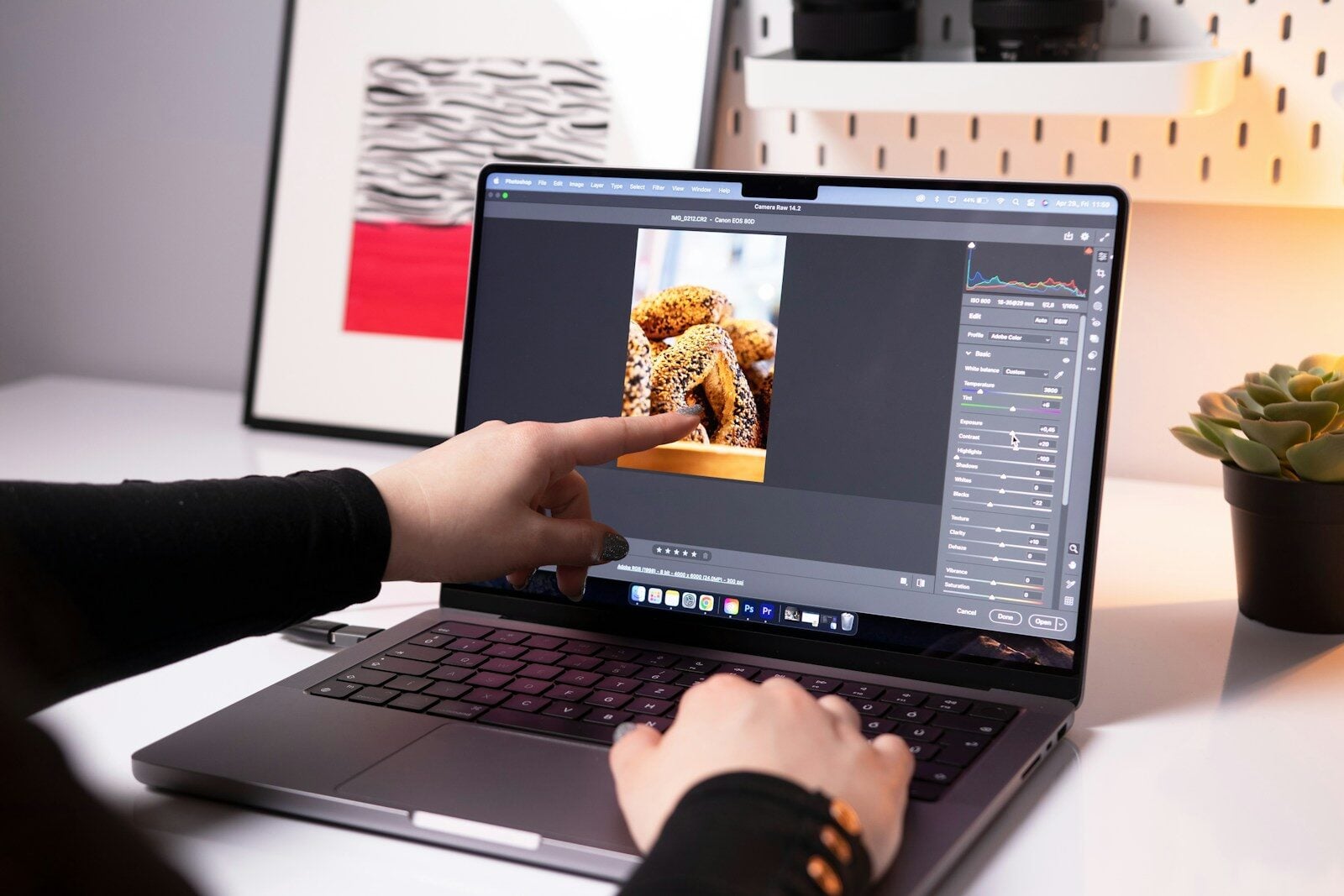
A picture can appear clear on your phone, but when you zoom in on it or print it, or even post it on the Internet, the blurry details and poor quality can easily be detected. The same problem is manifested in old family pictures, blurred portraits, low-light images with noise, and small downloaded images whose sharpness is compromised by low resolution. As there are numerous best photo enhancers, it is easy to be confused by the choices, and this article will compare six popular ones of 2026 to help users understand what they do, what restrictions they have, and in what circumstances they are most effective in enhancing the quality of the image,especially when users want to AI enhance image quality with minimal manual editing.
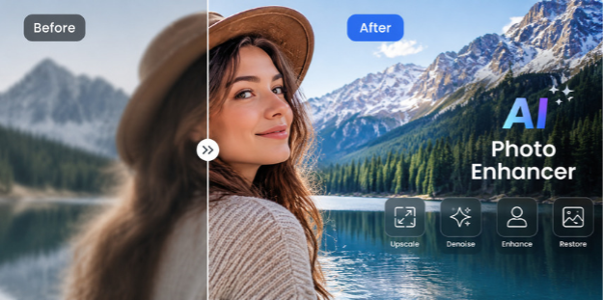
6 Best Photo Enhancers to Improve Image Quality
There are best photo enhancers available that can address various issues in images, from restoring old memories to producing images of professional quality. The six most common tools that can assist users in enhancing the quality of images, depending on their needs, are listed below.
1. HitPaw FotorPea — Overall Photo Enhancer
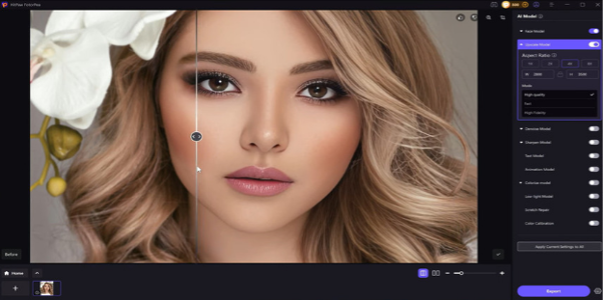
An all-in-one photo enhancer can be more convenient than using several editing apps when users have to fix various issues related to different images simultaneously, including blurred details, low-quality photographs, noisy images, or unrecognized faces. HitPaw FotorPea is an AI-based image enhancement platform that helps enhance image quality by utilizing a set of specialized AI models that instantly analyze and enhance various categories of images.
Key Features
● AI Image Upscaling: Improves the quality of low-resolution images by making them clearer and enhancing any visible details.
● Face Restoration Model: Enhances facial clarity and improves visible facial details in portraits, group photos, and selfies.
● Denoise Model: Reduces noise, grain, and compression artifacts while attempting to preserve important image details.
● Sharpen Model: Helps reduce the appearance of mild blur caused by focus issues, motion, or compression.
● Old Photo Restoration: Improves faded or damaged photos by enhancing clarity, color, and visible details.
Pros
● Brings several AI improvement models within a single application, eliminating the use of separate tools.
● Basic workflow and automatic improvement features, which are easy to use.
● Deals with various image-quality issues, such as portraits, ancient photographs, and poor-quality digital images.
Cons
● The workflow based on AI might not be as flexible as traditional editing software because users desire to have full manual control over all the editing parameters.
● There are other enhanced features and models that are paid.
Best Suited For
HitPaw FotorPea is best for those who prefer to enhance the quality of images quickly and easily without acquiring complicated skills in the editing process. It is also handy for improving family photographs, portraits, social media images, scanned pictures, as well as low-resolution photos that require a higher level of clarity.
Step-by-Step Guide to Improve Image Quality with HitPaw FotorPea
Step 1: Download and Install HitPaw FotorPea
Go to the official HitPaw site, download FotorPea, and install the software on your computer. After installation, start the application to improve your images.

Step 2: Upload the Image You Want to Enhance
Open FotorPea and click the upload button to upload your low-quality image and enhance image quality with AI.

Step 3: Select the Suitable AI Enhancement Model
Select the AI model that fits your image problem.
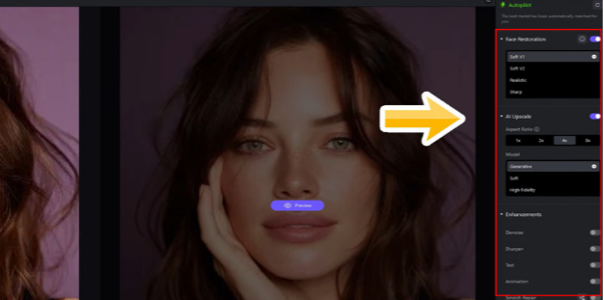
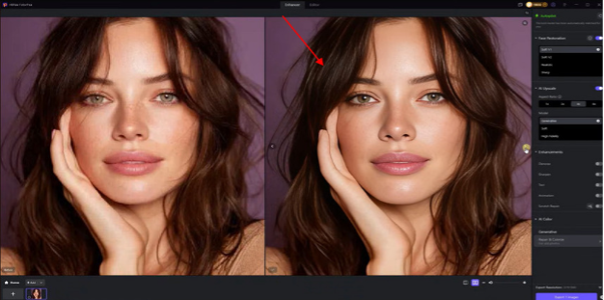
Step 4: Preview the enhanced Image Result.
Once the AI model has been chosen, FotorPea will automatically process the image.
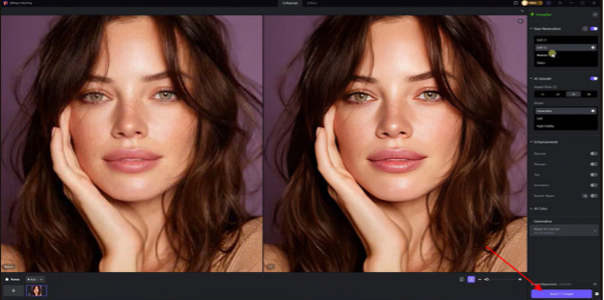
Step 5: Export and Save the Enhanced Photo
Once satisfied with the outcome, you can save the enhanced picture by clicking the export button.
2. Topaz Photo AI — Professional Photo Enhancement
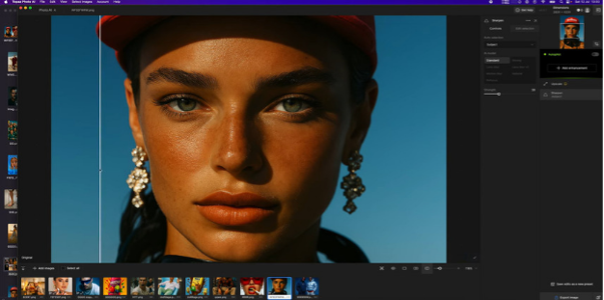
Topaz Photo AI is an AI-based tool used by photographers and professionals for sharpening, noise reduction, face enhancement, and resolution improvement. It is also capable of analyzing the situation in the image and offering specialized AI models for various quality problems, in contrast to basic AI enhancers, which mostly involve automatic improvements. It is aimed at users who prefer more advanced output and greater control over the process of enhancement, though novices might have to wait until they master its professional workflow.
Key Features
● AI Sharpening: Helps improve the appearance of mild blur caused by motion, focus issues, or softness.
● Noise Reduction: Eliminates undesirable grain and low-light noise but preserves important details in the image.
● Upscale & Resolution Enhancement: Scales images and enhances textures and natural details.
● Recover Faces: Improves low-quality face information in portraits and small faces, provided there is enough information in the image.
Pros
● Offers a professional level of enhancement and has specific AI tools to sharpen, denoise, upscale, and recover faces.
● Has greater control and customization than one- click photo enhancers.
Cons
● The workflow and the set of features of the program can be confusing to the user.
● It is a paid tool, hence not as friendly when one wants a totally free photo enhancement tool.
3. Adobe Photoshop — Advanced Photo Editing & Enhancement
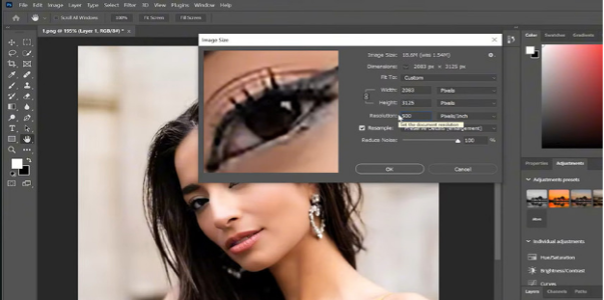
Adobe Photoshop is not a special photo enhancer but a full image editing system that also provides powerful enhancement tools to improve the quality of the image. It offers AI-based functionalities and advanced editing options to refine details, minimize noise, enhance resolution, and make precise modifications to images.
Key Features
● AI-Powered Image Enhancement Tools: Takes advantage of AI capabilities to enhance image quality and accelerate workflows.
● Super Resolution: Adobe Photoshop Super Resolution can increase image resolution while improving perceived detail.
● Denoise Tools: Removes noise that is undesirable in images but conserves critical information.
● Generative Fill: Enables people to add, remove, or edit parts of the image with AI-based editing in a creative way.
Pros
● Provides powerful AI and manual editing capabilities to enhance the images.
● Offers professional-level control of colors, details, lighting, and retouching.
● Serves intricate workflows in which improvement and imaginative editing are required jointly.
● Brings new AI-powered features on a regular basis with Adobe Firefly integration.
Cons
● Novices can be intimidated by the sheer variety of tools.
● Needs a subscription and might not be an option for casual users.
4. Luminar Neo — AI Photo Enhancement & Creative Editing
Luminar Neo integrates AI-enhanced photo editing with creative editing, allowing users to enhance and augment image quality as well as add artistic effects. It specializes in portrait refinement, light adjustment, color amplification, and detail adjustment with the assistance of AI-powered applications. Luminar Neo is the most convenient choice for photographers and content creators because they prefer to process images and achieve a more aesthetically pleasing output without full-scale manual editing.
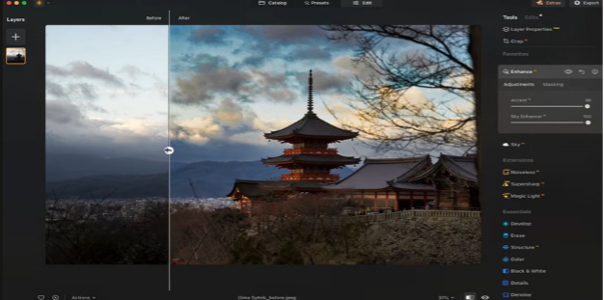
Key Features
● Enhance AI: Intelligently enhances exposure, contrast, colors, tone, as well as image details using AI.
● Face AI and Skin AI: Optimizes faces and skin, as well as the overall quality of the portrait.
● Relight AI: Lighting balance that can be used to enhance brightness and depth in various parts of an image.
● Structure AI: Improves the textures and details and preserves a natural look.
Pros
● Integrates AI improvement with innovative editing software in a single workflow.
● Simple interface that is user-friendly and suitable for photographers and amateurs.
● Powerful portrait, light and color effects.
● Offers innovative AI services beyond simple image enhancement.
Cons
● It is not primarily intended to be used in higher-order photo restoration or extreme resolution upscaling.
● Certain AI tools might need modification to attain the preferred appearance.
● Advanced features are available through paid plans.
5. Remini — Best for Portrait & Face Enhancement
Remini is an image-enhancing app based on AI that has gained popularity for enhancing portraits, selfies and low-quality photos with indistinct facial structure. It applies automated AI processing to sharpen blurry images, enhance faces, minimize noise, restore old images and improve the quality of images with minimal user effort.
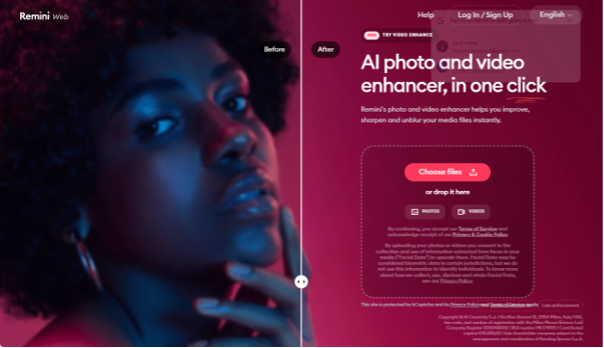
Key Features
● Face Enhance: Enhances facial features in low-resolution or blurry portraits.
● AI Photo Enhancement: Sharpens automatically and enhances the picture quality after a photo has been uploaded.
● Old Photo Restoration: Helps restore low-quality, damaged, and faded vintage photos.
● Unblur and Denoise: Minimizes blur and grain to produce clearer images.
● Image Enlargement: Enlarges the image and enhances clarity in low-resolution images.
Pros
● Great at making faces, selfies and old family photos better.
● Easy one-tap improvement procedure for beginners.
● Sharpens up low-quality and blurred photos.
● Works on mobile devices and has an easy-to-use interface.
Cons
● Poor manual control in comparison to professional editing tools.
● Designed primarily to optimise portrait photography, not all types of images.
● On badly damaged photos, results are likely to be different.
6. Upscayl — Best Free Photo Upscaler
Upscayl is a free, open-source tool designed to upscale low-resolution images and improve their overall clarity. It can be a practical choice for users searching for a photo enhancer free option for simple image enlargement and quality improvement. Powered by AI technologies such as Real-ESRGAN, it can increase image resolution while enhancing textures and recovering finer details.
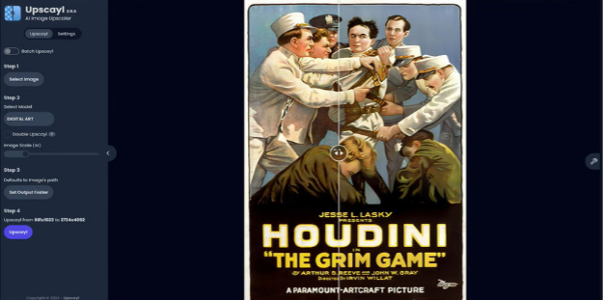
Key Features
● AI Image Upscaling: Upscales small images and enhances visual quality while minimizing pixelation.
● Multiple AI Models: Offers various models to achieve the best outcomes with different types of images and enhancement requirements.
● Batch Upscaling: Can be used to process several images simultaneously to speed up workflows.
● Cross-Platform Support: Windows users, macOS users and Linux users.
Pros
● Completely free and open-source with no subscription requirement.
● Good alternative to sharpen small or pixelated images.
● Favors local processing, enabling users to store images on their personal devices.
● Available on leading desktop operating systems.
Cons
● Not able to upscale and does not have high-end photo editing capabilities.
● The hardware should be compatible in terms of performance.
● Can not be used in complex restoration or face enhancement.
The selection of the best photo enhancer is based on fast AI corrections, professional editing, portrait repair, creative editing, or free upscaling. The following table contrasts the six tools in terms of their key strengths, platform, and cost.
Comparison Table of 6 Photo Enhancers
| Photo Enhancer | Best For | Key Features | Platforms | Pricing |
| HitPaw FotorPea | Overall photo enhancement | Upscale, sharpen, denoise, face enhancement | Windows, macOS | From $22.39/month, $90.39/year, or $130.39 perpetual* |
| Topaz Photo AI | Professional enhancement | Sharpen, denoise, upscale, face recovery | Windows, macOS | $199/year, $25/month with annual commitment, or $39 month-to-month |
| Adobe Photoshop | Advanced editing and control | AI editing, retouching, Super Resolution | Windows, macOS, web, mobile | $22.99/month annual plan; $263.88/year prepaid |
| Luminar Neo | AI and creative editing | Portrait, lighting, color, detail enhancement | Windows, macOS, iOS, Android | $129 Desktop, $159 All Platforms, or $199 Max — one-time |
| Remini | Portrait and face enhancement | Face enhancement, unblur, restoration | iOS, Android | Free limited access; paid pricing varies by user, plan, and platform |
| Upscayl | Free AI upscaling | AI upscale, batch processing, multiple models | Windows, macOS, Linux | Free and open-source desktop app; Cloud Pro $24.99/month |
FAQs About Photo Enhancers
1. What is the best photo enhancer to improve image quality?
HitPaw FotorPea is a powerful general-purpose tool for blur, noise, low resolution, faces and old photos. Topaz Photo AI is more of a choice for users who want more professional control.
2. Can AI photo enhancers improve blurry images?
AI enhancers can sharpen soft or blurry images and improve visible details that remain in the source image. The outcome is determined by the amount of original details left in the image.
3. Can a photo enhancer increase image resolution?
Yes, AI upscalers have the ability to scale up pictures, enhance clarity and reduce pixelation. Such tools as Topaz Photo AI and Upscayl are aimed to do this.
4. What is the best free photo enhancer?
If you are looking for an image enhancer free of subscription costs, Upscayl is a useful option for basic upscaling and resolution enhancement. It is open-source and primarily designed for improving low-resolution images.
5. Can AI photo enhancers restore old photos?
Yes, AI tools have the capability of enhancing the quality of old photos that are faded, blurred, or damaged to a better grade by sharpening details and faces. Nevertheless, even seriously damaged regions might not always be reconstructed flawlessly.
Conclusion
Every best photo enhancer possesses its power: you require professional recovery of the details, you require advanced editing, you require portrait adjustment, you require some creative changes, you require free image upscaling. Among these alternatives, HitPaw FotorPea is a suitable general-purpose option for users looking for easy AI-based image enhancement. Its variety of AI enhancement models provides it with the ability to sharpen, denoise, upscale, enhance faces, and recover various kinds of photos.



-

 Resources5 years ago
Why Companies Must Adopt Digital Documents
-

 Resources4 years ago
A Guide to Pickleball: The Latest, Greatest Sport You Might Not Know, But Should!
-

 Resources1 year ago
50 Best AI Free Tools in 2025 (Tried & Tested)
-

 Resources1 year ago
Get Paid $5000+ a month to write : Discover 30 Spectacular Websites That Reward Your Writing Effort