Resources
How to Improve Image Quality to 1080p Online Without Watermarks

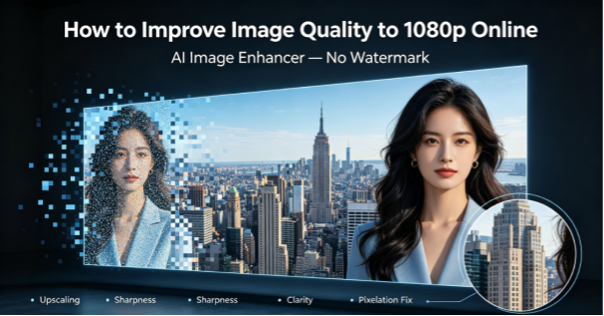
A low-resolution image may look acceptable as a small thumbnail but become blurry and pixelated when enlarged. This is especially common with downloaded images, screenshots, old photos, cropped pictures, and images shared repeatedly through social media or messaging apps. Simply increasing the image dimensions does not necessarily make it clearer, and some online tools may also add watermarks to their free exports.
Fortunately, AI image enhancers can upscale images to 1080p while improving visible details, sharpness, and overall clarity. This guide explains how 1080p image upscaling works, which online tools are worth trying, and how to improve image quality online without unwanted watermarks.
H2: What Types of Images Can Benefit From 1080p Upscaling?
AI upscaling can be useful for many types of low-quality images, especially when you need to enlarge a photo without making its quality look worse.
| Image Type | Common Problem | How 1080p Upscaling Helps |
| Low-resolution images | Too small or lacking detail | Increases resolution and improves visible details |
| Blurry photos | Soft or unclear details | Enhances sharpness and clarity |
| Screenshots | Text and details become unclear when enlarged | Improves edges and overall readability |
| Old family photos | Faded colors, grain, and low sharpness | Enhances clarity and restores visible details |
| Cropped images | Pixelation after enlarging a small area | Makes enlarged areas look more natural |
| Low-light photos | Grain, noise, and unclear details | Reduces noise and improves overall clarity |
These images can often benefit from AI enhancement because the goal is not simply to make them larger, but to improve their appearance while increasing their resolution.
H2: Best Online Tools to Improve Image Quality to 1080p
If you want to improve an image without installing software, a photo enhancer online free no watermark can provide a convenient way to enhance photos directly in your browser. The tools below focus on image upscaling, enhancement, or both.
1. HitPaw Online Photo Enhancer
HitPaw Online Photo Enhancer provides a browser-based way to improve image quality without requiring desktop software. It works as a photo quality enhancer online for users who want to improve low-resolution, blurry, or unclear images directly in their browser.
Key Features:
● Image Upscaling: Increase image resolution while improving visible details.
● Blur Enhancement: Improve soft or unclear details.
● Noise Reduction: Reduce grain and unwanted noise.
● Portrait Enhancement: Improve facial details in portrait photos.
● Online Processing: Enhance images directly in a browser.
Pros:
● Simple workflow.
● Beginner-friendly.
● Convenient for quick image enhancement.
● No advanced editing skills are required.
Cons:
● Some features or export options may depend on the available plan.
● Processing time can vary depending on image size.
How to Improve Image Quality to 1080p Online With HitPaw Online Photo Enhancer
If you want to improve a low-resolution image without installing desktop software, HitPaw Online Photo Enhancer provides a simple workflow.
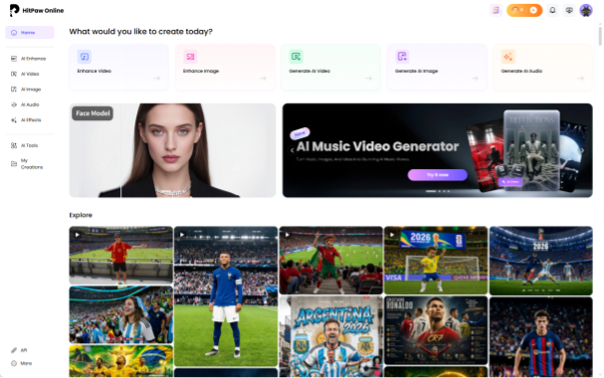
Step 1: Open HitPaw Online Photo Enhancer
Open HitPaw Online Photo Enhancer in your browser and access the image enhancement tool.
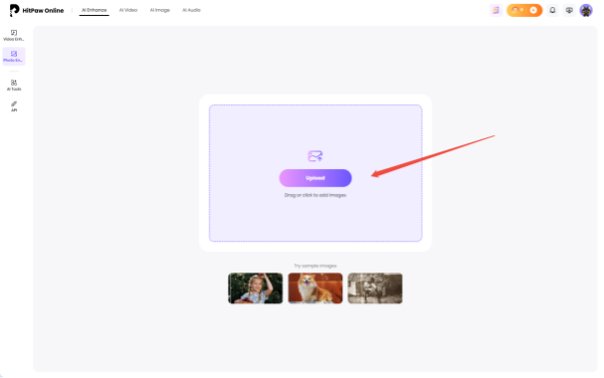
Step 2: Upload Your Image
Upload the image you want to improve and enhance photo quality online with the available AI enhancement tools.
Step 3: Choose an AI Enhancement Tool
Select the enhancement option that matches your image.
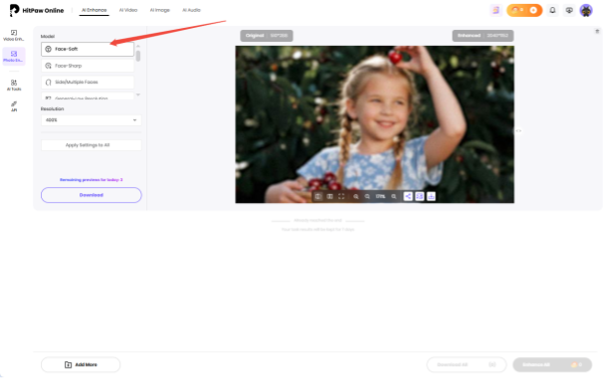
Step 4: Preview the Enhanced Result
Preview the processed image and compare it with the original.
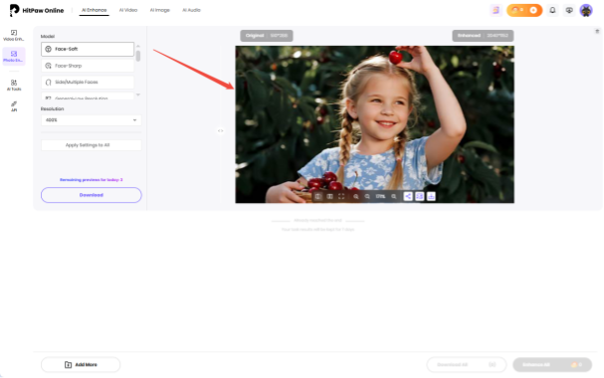
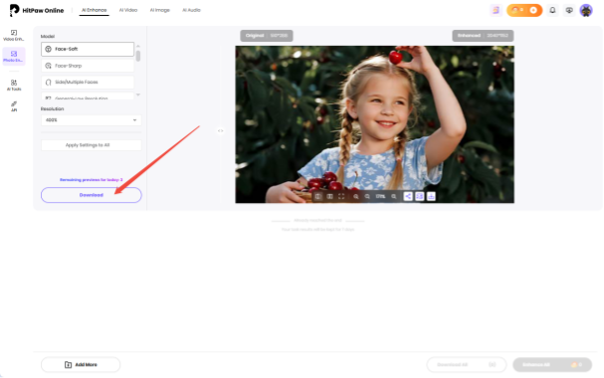
Step 5: Download the Enhanced Image
Once you are satisfied with the result, download the enhanced image.
2. Upscale.media
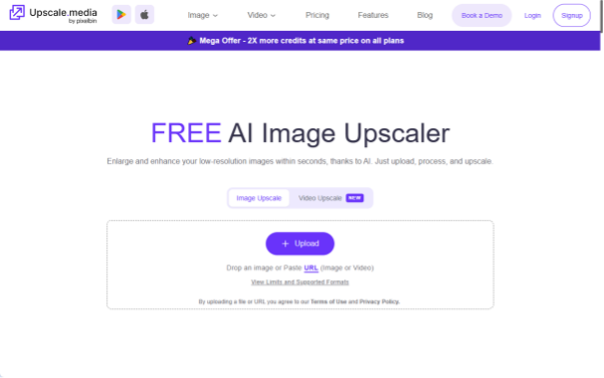
Upscale.media is an online AI image upscaling tool designed to increase image resolution and improve overall image quality. It is useful when you have a small image that needs to be enlarged for online use, display, or other purposes.
Key Features:
● AI image upscaling.
● Resolution enhancement.
● Browser-based processing.
● Simple image enlargement workflow.
Pros:
● Easy to use.
● Convenient for quick upscaling.
● No desktop installation required.
Cons:
● Primarily focused on upscaling.
● Some features may be limited by the plan.
3. Let’s Enhance
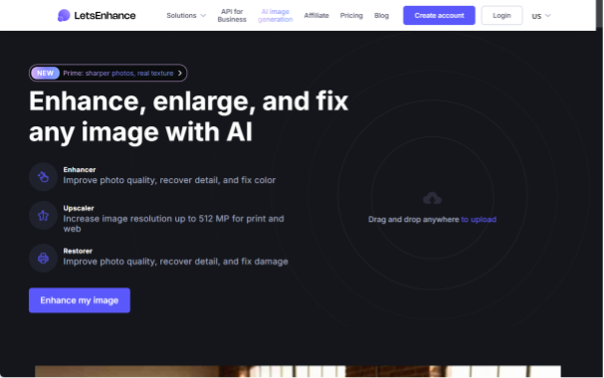
Let’s Enhance is an online image enhancement platform that can improve image resolution and visual quality. It can be used for photographs, graphics, and other digital images that need to be enlarged.
Key Features:
● AI image upscaling.
● Image quality enhancement.
● Online processing.
● Support for different image types.
Pros:
● Convenient browser-based workflow.
● Useful for enlarging images.
● Suitable for users without advanced editing skills.
Cons:
● Some features may require a paid plan.
● Results depend on the original image quality.
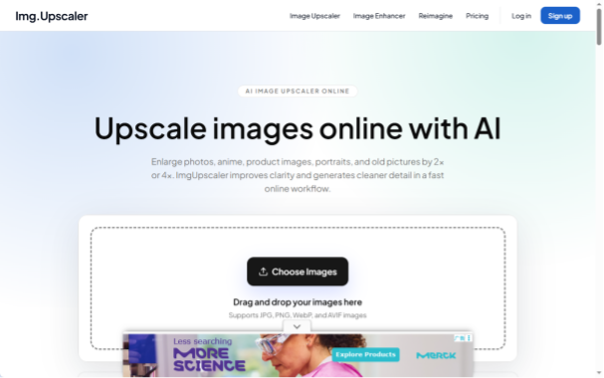
4. ImgUpscaler
Upscaler is an online AI image upscaling tool that focuses on enlarging low-resolution images while improving their appearance. It can be useful for photos that need to be displayed at a larger size.
Key Features:
● AI image upscaling.
● Resolution enhancement.
● Online processing.
● Simple interface.
Pros:
● Beginner-friendly.
● Quick image enlargement.
● No complicated editing workflow.
Cons:
● More focused on upscaling than advanced photo restoration.
● Usage or advanced features may depend on the plan.
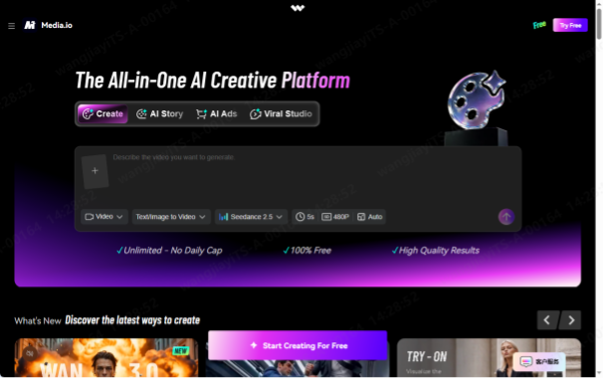
5. Media.io AI Image Upscaler
Media.io AI Image Upscaler provides an online solution for increasing image resolution and improving image quality. It can be used for portraits, product images, social media content, and other pictures that need to be enlarged.
Key Features:
● AI image upscaling.
● Image quality improvement.
● Online processing.
● Support for different image types.
Pros:
● Easy browser-based workflow.
● Convenient for quick enhancement.
● Suitable for different types of images.
Cons:
● Some features may require credits or a paid plan.
● Results vary depending on the source image.
6. Pixelcut Image Upscaler
Pixelcut Image Upscaler is an online AI tool for increasing image resolution and improving image quality. It can be useful for creators, sellers, and social media users who need to enlarge images quickly.

Key Features:
● AI image upscaling.
● Resolution enhancement.
● Online workflow.
● Quick image processing.
Pros:
● Simple interface.
● Convenient for quick image enlargement.
● Useful for product and social media images.
Cons:
● More focused on upscaling than comprehensive photo restoration.
● Some features may be limited depending on the plan.
H2: How to Get Better Results When Upscaling Images to 1080p
Choosing the right photo quality enhancer online is important, but the way you prepare the image can also affect the final result.
Use the Original Image Whenever Possible
Start with the highest-quality version of the photo you have. Repeated compression can remove details that an AI enhancer cannot fully recover.
Avoid Enlarging an Extremely Small Image First
If an image is already very small, manually enlarging it before uploading may make pixelation more noticeable. Let the AI enhancement tool handle the upscaling instead.
Choose the Right Enhancement Tool
A general image enhancer may be suitable for everyday photos, while portraits, blurry images, noisy photos, and old pictures may benefit from more specialized enhancement options.
Check Faces and Fine Details
Pay particular attention to faces, hair, text, and other fine details after enhancement. Excessive sharpening or AI processing can sometimes make these areas look unnatural.
Try HitPaw FotorPea for More Advanced Photo Enhancement
For users who need more than a quick online image upscale, HitPaw FotorPea offers a broader set of AI photo enhancement tools.
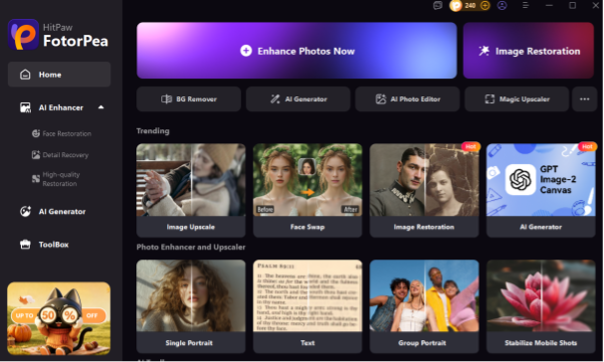
FotorPea can be useful for different image quality problems, including:
● Low-resolution images: Upscale photos while improving visible details.
● Blurry photos: Enhance unclear areas and improve sharpness.
● Grainy photos: Reduce unwanted noise and grain.
● Portraits: Improve facial details and overall portrait quality.
● Old photos: Enhance clarity in old or faded images.
● Different image conditions: Choose appropriate AI enhancement tools based on the original photo.
This makes FotorPea a better fit for users who regularly enhance photos or need to address several different image quality problems rather than simply increasing resolution.
FAQs About Improving Image Quality to 1080p
1. Can I improve a low-resolution image to 1080p online?
Yes. Online AI image enhancers can enhance photo quality online and upscale low-resolution images to 1080p while improving visible details. However, the final quality depends on the original image. However, the final quality depends on the original image and the limitations of the free tool.
2. How do I make a blurry image clearer without a watermark?
Upload the blurry image to an online AI image enhancer that supports sharpening or image enhancement, then check its export settings before downloading. Watermark policies vary between tools and plans.
3. Does increasing image resolution make a photo clearer?
Not necessarily. Traditional resizing increases the dimensions of an image but does not automatically restore missing details. AI upscaling can analyze the image and enhance visible details during the enlargement process.
4. Can I upscale a screenshot to 1080p?
Yes. An AI image enhancer can increase the resolution of a screenshot and improve its appearance. However, heavily compressed or very small screenshots may still have limited detail.
5. What is the best image enhancer for 1080p upscaling?
The best option depends on your needs, especially if you are looking for a photo quality enhancer 1080p online free.HitPaw Online Photo Enhancer is suitable for quick online enhancement, while HitPaw FotorPea provides a more comprehensive set of AI tools for users who need to handle different photo quality problems.
Conclusion
AI image enhancers can improve low-resolution, blurry, or grainy photos while upscaling them to 1080p. For quick online enhancement, HitPaw Online Photo Enhancer is a convenient option, while HitPaw FotorPea offers more advanced tools for different photo enhancement needs.
For the best results, start with the highest-quality original image available and choose an enhancement tool based on the specific problem with your photo.



-

 Resources5 years ago
Why Companies Must Adopt Digital Documents
-

 Resources4 years ago
A Guide to Pickleball: The Latest, Greatest Sport You Might Not Know, But Should!
-

 Resources1 year ago
50 Best AI Free Tools in 2025 (Tried & Tested)
-

 Resources1 year ago
Get Paid $5000+ a month to write : Discover 30 Spectacular Websites That Reward Your Writing Effort