Resources
Mastering the R6 Marketplace

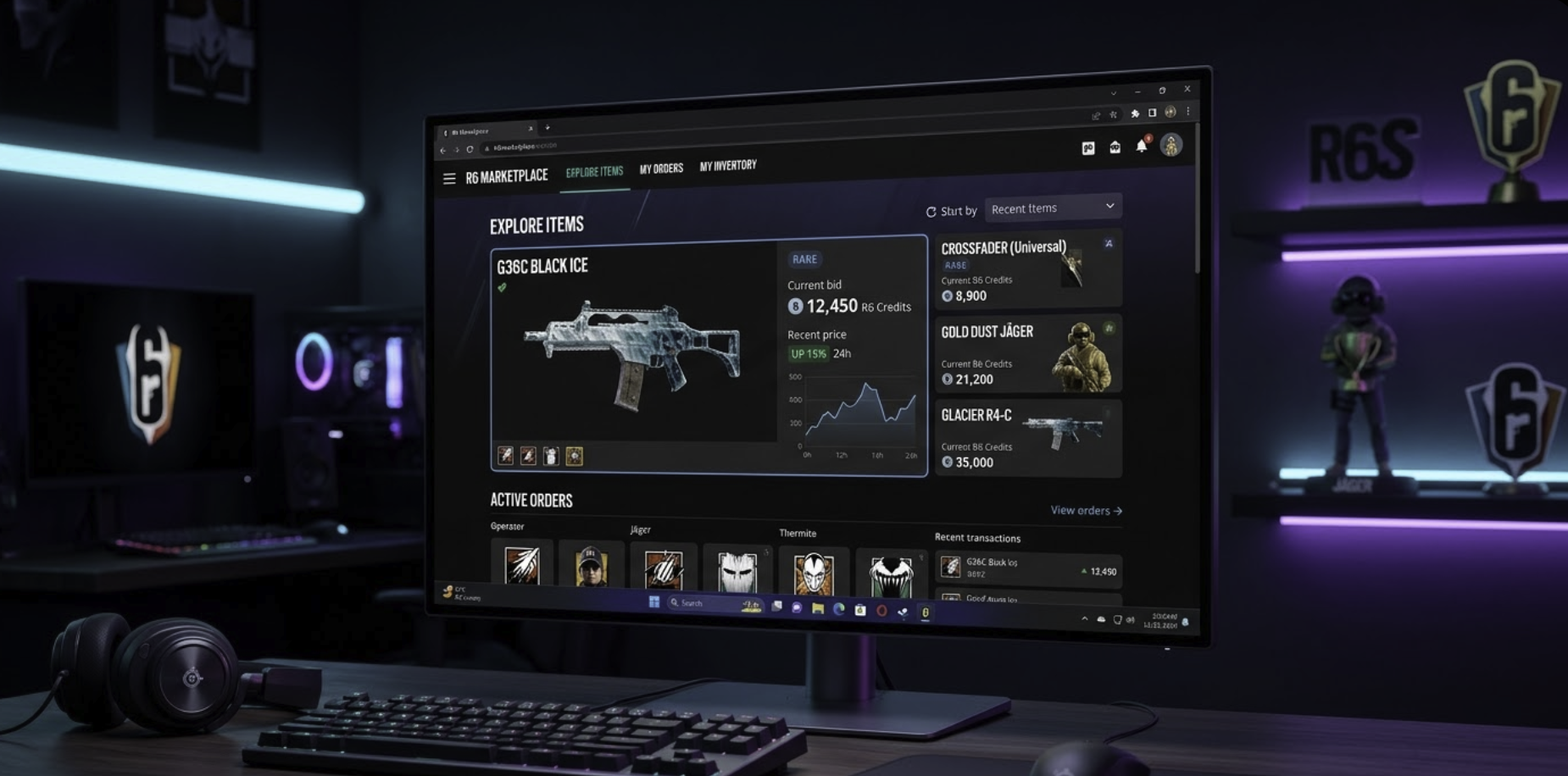
In summary: The R6 Marketplace is a secure, browser-based platform allowing Rainbow Six Siege players to trade in-game items like weapon skins, headgear, and uniforms using R6 Credits. It transforms digital cosmetics into a player-driven economy with real-time market valuations.
Welcome to the future of Siege customization. For years, our inventories were locked vaults—if you had a rare Glacier skin or a seasonal uniform from Y1S1, it just sat there. Now, the R6 Marketplace has fundamentally changed how we value our digital collections. I have spent countless hours navigating the fluctuations of this economy, and I want to share the strategies that separate the casual browsers from the elite traders.
Before we dive into the mechanics, here is what we are covering today:
- Requirements for accessing the trade platform.
- How to identify “snipes” and high-value investments.
- The impact of the 10% Ubisoft transaction fee.
- Avoiding common pitfalls that cost players thousands of credits.
Understanding the R6 Marketplace Ecosystem
The R6 Marketplace operates on a supply-and-demand model. Unlike the in-game shop where prices are fixed, the value of an item here is determined entirely by what the community is willing to pay. When I first logged in during the Beta phase, the volatility was staggering. Items that were once considered “worthless” suddenly carried massive price tags because of their scarcity.
To participate, you must meet a few criteria set by Ubisoft. You need to be at least Level 25 and have 2-Step Verification enabled on your Ubisoft account. This isn’t just a hurdle; it’s a necessary security measure to prevent botting and fraud, ensuring the items you buy are legitimate.
How to Start Trading
Getting started is straightforward, but mastering the timing is where the skill lies. Here is the typical workflow for a transaction:
- Log In: Access the official portal via a web browser.
- Browse or Search: Filter by rarity, season, or specific operator.
- Place an Order: You can place a “Buy Order” at a specific price. If a seller matches that price, the transaction is instant.
- List an Item: Choose an item from your inventory, set your price, and wait for a buyer.
One thing I always remind my readers: your Buy Orders stay active for up to 30 days. If you are looking for a deal on a popular item like the Crossfader skin, patience is your greatest asset.
Practical Examples and Common Mistakes
I’ve seen many players lose credits because they didn’t understand the “Last Sold” data. Just because an item is listed for 5,000 credits doesn’t mean it’s selling for that.
- The “Fat Finger” Error: Accidentally listing a legendary skin for the minimum price (120 credits) instead of 1,200. Always double-check your zeroes.
- Panic Selling: Selling an item the moment a new season drops. Often, prices dip during the first 48 hours of a new update as players liquidate assets to buy the new Battle Pass, only to bounce back a week later.
Quick Comparison: Marketplace vs. In-Game Store
| Feature | R6 Marketplace | In-Game Store |
| Pricing | Dynamic (Player-led) | Fixed (Ubisoft-set) |
| Availability | Retired & Seasonal items | Current & Evergreen items |
| Currency | R6 Credits | Credits & Renown |
| Fees | 10% Seller Tax | No Tax |
Advanced Tactics for R6 Marketplace Success
If you want to treat this as more than just a place to grab a cheap charm, you need to look at the data. According to Ubisoft’s official newsroom, the marketplace was designed to give “autonomy to the players,” but that autonomy comes with risks.
One strategy I use is tracking “Pro League” sets. These often have high demand but limited supply. When a specific operator becomes “meta” in the competitive scene, their skins on the R6 Marketplace almost always see a price hike.
Pros and Cons of the Platform
Pros:
- Access to “Black Ice” skins for specific weapons without relying on Alpha Pack luck.
- Ability to turn unwanted cosmetics into R6 Credits for future Battle Passes.
- Clean, user-friendly interface that works on mobile and desktop.
Cons:
- The 10% transaction fee can eat into your profits significantly on high-ticket items.
- No “Renown” support; the economy is strictly R6 Credits (premium currency).
- Limited to 20 active orders at a time.
Steps to Secure a Rare Skin at the Best Price
- Monitor the 24-Hour Range: Look at the highest and lowest prices paid in the last day.
- Set a Low Buy Order: Place an order slightly above the “Minimum” but below the “Current” price.
- Wait for the “Refresh”: Markets often fluctuate during weekend peaks when player counts are higher.
- Confirm the Transaction: Once the item hits your inventory, it’s yours to equip in-game immediately.
Why Transparency Matters in Trading
It is vital to stay informed through reputable community hubs like SiegeGG, which often covers how in-game changes affect item popularity. For instance, when an operator receives a significant buff, the demand for their elite-tier skins on the R6 Marketplace tends to spike. Keeping an eye on patch notes is effectively like reading a stock market ticker.
Maximizing Your Inventory Value
I recommend doing a “spring cleaning” of your inventory. Many of us have seasonal camos from years ago that we no longer use. On the R6 Marketplace, these are gold mines. Even “Uncommon” skins from early operations can fetch a few hundred credits because they are no longer obtainable through any other means.
FAQ
Can I trade items directly with a friend?
No, the system is designed as an anonymous marketplace to prevent “real-world trading” and scams. You list an item to the general pool, and the lowest-priced seller is always matched with the highest-priced buyer.
Why is my item not eligible for sale?
Not every item in the game is currently available on the R6 Marketplace. Ubisoft adds items in “waves.” Generally, very recent Battle Pass items or certain promotional items (like streamer charms) are excluded to maintain their exclusivity or due to licensing.
Does the 10% fee apply to the buyer or the seller?
The fee is deducted from the seller’s side. If you sell a skin for 1,000 credits, you will receive 900 credits. The buyer still pays the full 1,000. It is a standard “sink” to keep the economy balanced.
Is there a limit to how many credits I can hold?
There is no specific limit for marketplace transactions, but your account is subject to standard Ubisoft wallet limits.
Can I get my money back if I make a mistake?
All transactions on the platform are final. Once a Buy or Sell order is matched and executed, it cannot be reversed by customer support. This is why I emphasize checking your prices twice before hitting confirm.
Final Thoughts on the Trading Experience
The introduction of this platform has breathed new life into the Siege experience for me. It adds a layer of strategy that exists outside the tactical shooter gameplay. Whether you are hunting for that elusive Gold Dust skin or just trying to scrounge up enough credits for the next seasonal event, the R6 Marketplace is a powerful tool when used correctly.
Stay patient, watch the trends, and never low-ball your rarest assets. The market is always moving, and with the right approach, your inventory can become your greatest resource in the game.



-

 Resources5 years ago
Why Companies Must Adopt Digital Documents
-

 Resources4 years ago
A Guide to Pickleball: The Latest, Greatest Sport You Might Not Know, But Should!
-

 Resources1 year ago
50 Best AI Free Tools in 2025 (Tried & Tested)
-

 Resources1 year ago
Get Paid $5000+ a month to write : Discover 30 Spectacular Websites That Reward Your Writing Effort