Blogs
Threads Downloader Without Watermark — The Cleanest Way to Save Videos

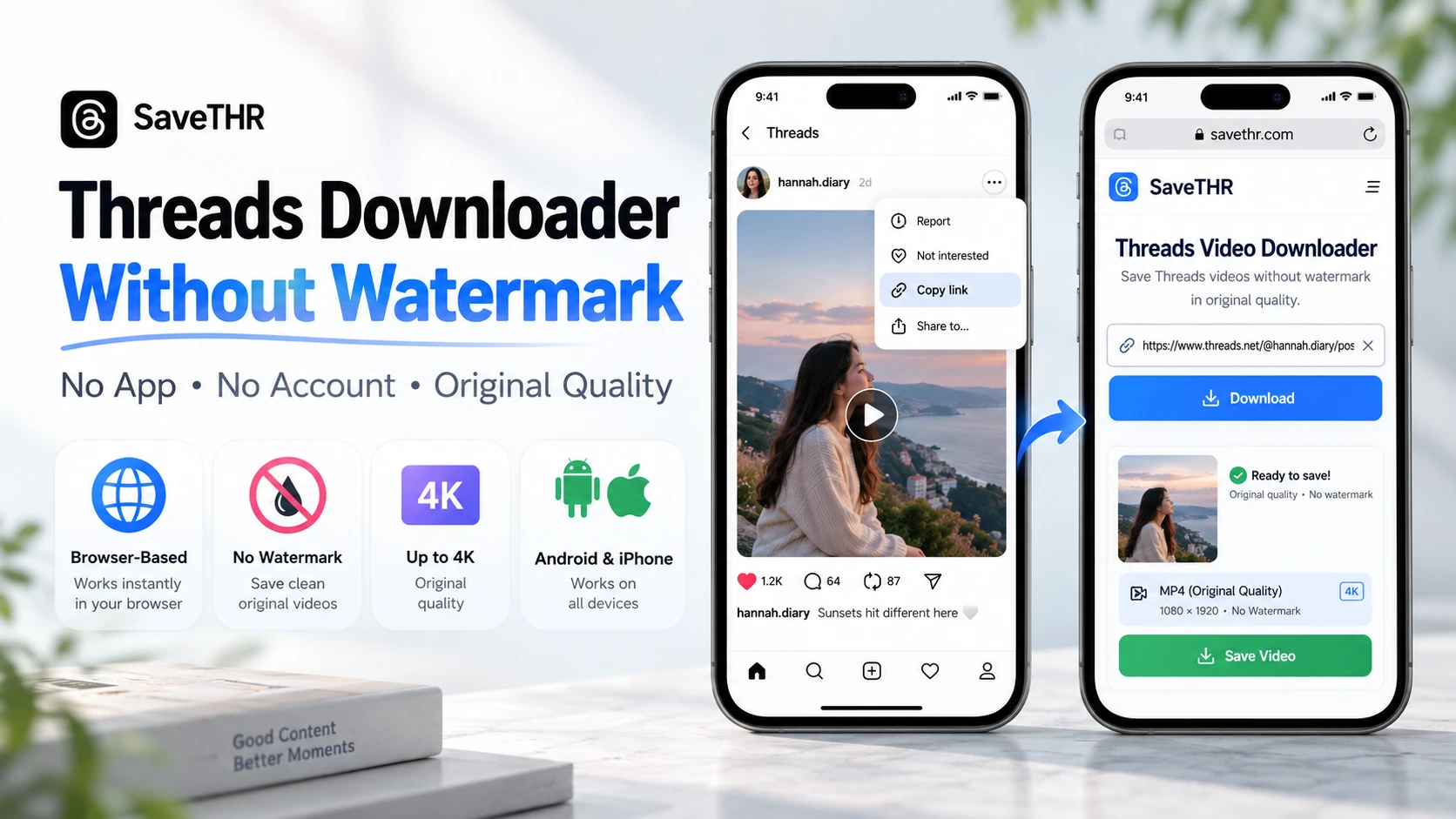
Threads doesn’t have a download button. That’s been true since the app launched, and nothing has changed in 2026. If you want to keep a video — a tutorial, a clip someone shared, a moment you don’t want to lose — you have to figure it out yourself.
Most people try screen recording first. It works, sort of. You get a video, but the quality drops, notifications can pop up mid-recording, and the file ends up larger than it should be. It’s a workaround, not a solution.
There’s a better way, and it takes about ten seconds.
Why Watermarks Are Even a Thing
On TikTok, downloaded videos get a watermark automatically — the platform adds its logo before the file reaches your device. Threads doesn’t do that. Videos on Threads have no platform watermark baked in.
So when people search for a “threads downloader without watermark,” what they’re really asking is: will this tool add its own logo to my video? Some downloader apps do exactly that — they stamp their branding on every file to get free advertising.
Browser-based tools generally don’t. There’s no app install, no branding incentive, and the file you get is the original video file — no additions, no modifications.
The Method That Actually Works
The cleanest approach is a browser-based downloader. No installation required, works on Android and iPhone, and the output is the original file in whatever quality it was uploaded.
Here’s how it works:
1. Open the Threads post with the video you want to save.
2. Tap the three-dot menu on the post and select Copy link.
3. Open your browser and go to savethr.com.
4. Paste the link into the input field and tap Download.
5. Choose your preferred quality — up to 4K if the original supports it — and save.
The file goes straight to your gallery or Downloads folder. No account needed, no email, nothing to sign up for.
What You Actually Get
The downloaded file is the source video — the same one Threads serves to viewers. If it was uploaded in 1080p, you get 1080p. If 4K, you get 4K. No re-encoding, no compression, no logo in the corner.
One thing worth knowing: this only works for public accounts. Videos from private profiles can’t be processed, which makes sense — private means private.
Compared to Other Options
Screen recording degrades quality and picks up whatever else is on your screen. Third-party apps from the Play Store often request permissions that have nothing to do with downloading videos — contacts, location, camera — and many add watermarks to the output anyway. On iPhone, most of those apps aren’t available at all because of App Store policies.
A threads downloader without watermark that runs in the browser sidesteps all of that. Nothing is installed, nothing is stored, and the only thing that ends up on your device is the video.
Quick FAQ
Does it work on iPhone? Yes — open Safari or Chrome, go to savethr.com, and follow the same steps. On iOS, tap “Save to Files” or “Save Video” when prompted.
Can I download multiple videos? Yes, one at a time — each takes a few seconds, so it’s fast even in bulk.
Does the quality depend on my connection? The download speed does, but the quality doesn’t. The file is what it is regardless of your network speed.
The Short Version
Threads has no built-in download option. Screen recording works but produces inferior results. The fastest, cleanest method is to copy the post link and download threads videos through a browser-based tool at savethr.com — no watermark, no installation, quality preserved.



-

 Resources5 years ago
Why Companies Must Adopt Digital Documents
-

 Resources4 years ago
A Guide to Pickleball: The Latest, Greatest Sport You Might Not Know, But Should!
-

 Resources1 year ago
50 Best AI Free Tools in 2025 (Tried & Tested)
-

 Resources1 year ago
Get Paid $5000+ a month to write : Discover 30 Spectacular Websites That Reward Your Writing Effort